
Key facts
Start here
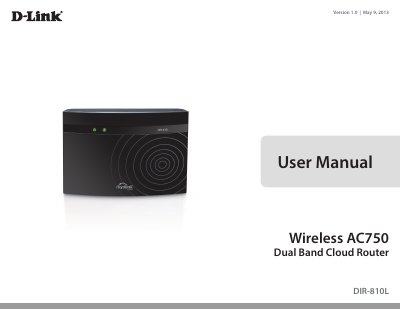
D-Link DIR-810L Wireless AC750 Dual Band Cloud Router User Manual
The DIR-810L Wireless AC750 Dual Band Cloud Router is described in this User Manual, version 1.0, dated May 9, 2013. The manual lists package contents, system requirements, hardware connections and LEDs, and installation steps. It also covers the web-based configuration utility, wireless and network settings, mydlink settings, advanced features, tools, status pages, troubleshooting, and technical specifications.
The document states that the router provides 802.11ac wireless speed up to 750Mbps and supports mydlink Cloud Services for monitoring the home network from an iPhone, iPad, or Android device, plus SharePort Mobile for accessing media on a connected USB drive. It includes setup wizards, wireless security options, IPv6 configuration, and instructions for connecting wireless clients.
D-Link DIR-810L specifications
| Wireless Standard | IEEE 802.11ac draft, IEEE 802.11 a/b/g/n |
|---|---|
| Maximum Wireless Speed | 433 Mbps |
| Ethernet Ports | Four 10/100 Fast Ethernet LAN ports, one WAN port |
| Power Input | 100 to 240 V AC, 50/60 Hz |
| Operating Temperature | 0 to 40 °C (32 to 104 °F) |
| Dimensions | 156.5 x 113.2 x 53.6 mm |
Source: D-Link DIR-810L Wireless AC750 Dual-Band Cloud Router Product Highlights
All D-Link DIR-810L documents by type
Day-to-day operation, settings and troubleshooting. Start here if the product is already set up.
Questions answered in these manuals
How do I set up the router without a computer?
You can use the QRS Mobile App on your iOS or Android device to set up the device in no time.
From: D-Link DIR-810L Wireless AC750 Dual-Band Cloud Router Product Highlights
Can I monitor my network remotely?
Yes, you can keep an eye on your network from anywhere using the mydlink™ web portal or mydlink Lite App.
From: D-Link DIR-810L Wireless AC750 Dual-Band Cloud Router Product Highlights
What is included in the package?
The package includes the DIR-810L router, power adapter, Ethernet cable, Wi-Fi Configuration Card, and Quick Install Guide.
From: D-Link DIR-810L Wireless AC750 Dual Band Cloud Router User Manual
How do I reset the router to factory defaults?
Press and hold the reset button with a paper clip for ten seconds.
From: D-Link DIR-810L Wireless AC750 Dual Band Cloud Router User Manual