
Key facts
Start here
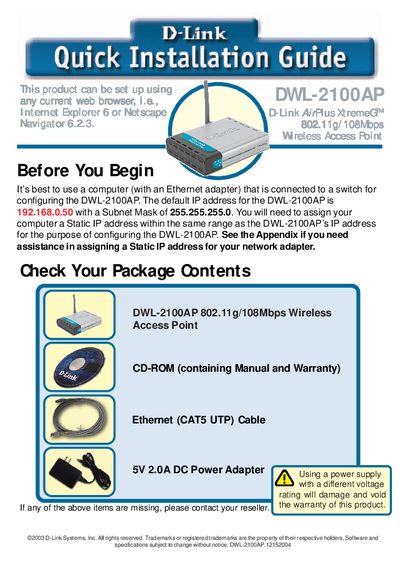
D-Link DWL-2100AP Quick Installation Guide
This guide helps you install and configure the D-Link DWL-2100AP 802.11g/108Mbps wireless access point. It lists the package contents, explains the default IP address (192.168.0.50) and subnet mask (255.255.255.0), and shows how to connect power and Ethernet cables to a switch or computer.
The Setup Wizard walks you through setting a password, configuring the SSID (default) and channel (6), and enabling optional WEP encryption (64‑bit or 128‑bit). An appendix provides step‑by‑step instructions for assigning a static IP address on Windows and macOS, and the final page gives technical support contact information for U.S. and Canadian customers.
D-Link DWL-2100AP specifications
| Wireless standard | 802.11g/108Mbps |
|---|---|
| Default IP address | 192.168.0.50 |
| Subnet mask | 255.255.255.0 |
| Power adapter rating | 5V 2.0A DC |
| Encryption options | 64‑bit and 128‑bit WEP |
All D-Link DWL-2100AP documents by type
Day-to-day operation, settings and troubleshooting. Start here if the product is already set up.
Mounting, wiring and first power-up. Read it before the hardware goes in.
The shortest path to a working setup, usually only a few pages.
Questions answered in these manuals
What are the default SSID and channel for the DWL-2100AP?
The default SSID is "default" and the default channel is 6.
How do I reset the DWL-2100AP to factory defaults?
Press the reset button on the device to restore the initial factory settings.
What power adapter does the DWL-2100AP require?
It requires a DC 5 V, 2.0 A power adapter.
What is the default IP address of the DWL-2100AP?
The default IP address is 192.168.0.50.
How can I reset the DWL-2100AP to factory defaults?
Press the reset button on the back of the unit to restore factory settings.