
Key facts
Start here
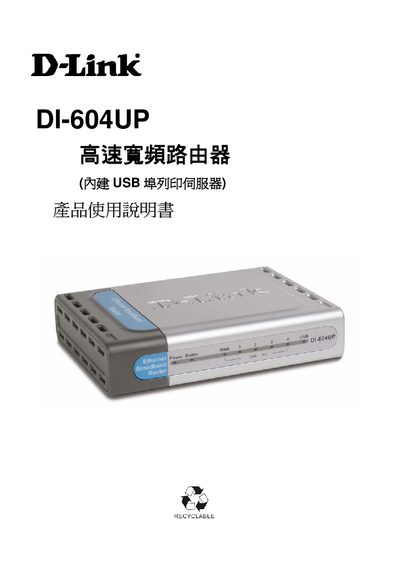
D-Link DI-604UP High-Speed Widescreen Router User Manual
This manual covers the DI-604UP router’s hardware specifications, packaging contents, and safety precautions before installation. It guides users through hardware installation, web‑based configuration, and supported operating systems such as Windows 98/ME, 2000/XP, and various broadband connections.
Additional sections explain advanced features like UPnP, DDNS, NAT, VPN pass‑through, and provide troubleshooting steps, firmware upgrade procedures, and technical support contact information. This manual is written in Chinese.
D-Link DI-604 specifications
| Power Adapter | 5V DC, 2A |
|---|---|
| LAN Ports | 4 Ethernet LAN ports (LAN port 1 plus 3 remaining ports) |
| Included Cable | Ethernet (CAT5 UTP/Straight-Through) cable |
| Default IP Address | 192.168.0.1 |
| Default Username | admin |
| Default Password | Blank (no password) |
| DHCP | Router acts as a DHCP server |
Source: D-Link DI-604 Express EtherNetwork Broadband Router Quick Installation Guide
All D-Link DI-604 documents by type
Mounting, wiring and first power-up. Read it before the hardware goes in.
Day-to-day operation, settings and troubleshooting. Start here if the product is already set up.
Questions answered in these manuals
What IP address do I type in the browser to open the router's setup?
Open your web browser and type http://192.168.0.1 into the URL address box, then press Enter or Return.
From: D-Link DI-604 Express EtherNetwork Broadband Router Quick Installation Guide
What are the default login details for the DI-604?
Type "admin" for the username and leave the password field blank, then click OK.
From: D-Link DI-604 Express EtherNetwork Broadband Router Quick Installation Guide
How many Ethernet ports does the DI-604UP have?
The router provides four 10/100Mbps Ethernet ports.
From: D-Link DI-604UP High-Speed Widescreen Router User Manual
What type of power supply is required for the DI-604UP?
It uses a 100~120V 0.5A 50‑60Hz input power supply with a 5V 2A output.
From: D-Link DI-604UP High-Speed Widescreen Router User Manual