
Key facts
Start here
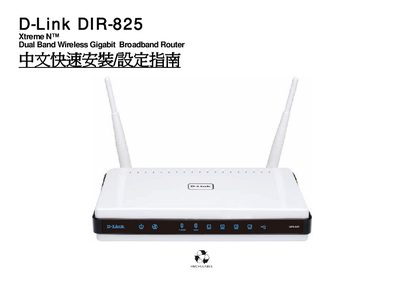
D-Link DIR-825 Router Quick Installation Guide
The guide walks you through the physical installation of the DIR‑825 router, describing panel LED indicators, rear‑panel ports, power connection, and Ethernet wiring. It also explains how to connect the router to your ISP modem and attach computers or other devices to the LAN ports.
After the hardware is in place, the manual covers the initial software setup, including Internet connection settings, wireless security configuration, WPS quick‑connect, and using the SharePort software. Appendices provide firmware‑update instructions and the RJ‑45 wiring standard (EIA/TIA‑568A/B). This manual is written in Chinese.
D-Link DIR-825 specifications
| Wireless Standards | IEEE 802.11n, 802.11g, 802.11a |
|---|---|
| LAN Ports | 4 Gigabit LAN ports |
| Antenna | 2 external reverse SMA dual‑band antennas |
| Dimensions (W × D × H) | 193 × 117 × 30.5 mm |
| Weight | 318 g (0.7 lb) |
| Security | WPA/WPA2, WPS (PIN & PBC) |
| IPv6 Support | IPv6 Ready |
All D-Link DIR-825 documents by type
Day-to-day operation, settings and troubleshooting. Start here if the product is already set up.
The shortest path to a working setup, usually only a few pages.
Questions answered in these manuals
How many Gigabit Ethernet ports does the DIR-825 have?
The router provides four Gigabit LAN ports and one Gigabit WAN port.
Can I share a USB printer or storage device with the DIR-825?
Yes, the SharePort™ Plus function lets you connect a USB printer, hard drive, or flash drive for sharing.