
Key facts
- Brand
- Philips
- Model
- SA2815
- Category
- MP3 Player
- Industry
- Electronics
- Documents
- 7
- Languages
- EN · ZH · JA
- Last added
- 2012-03-27
Start here
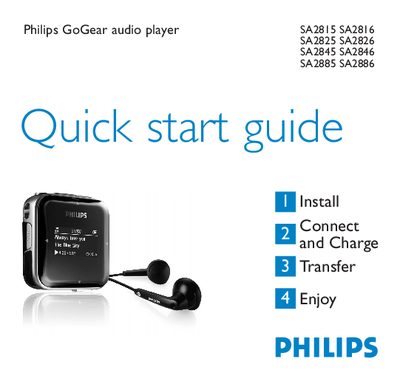
Philips SA2815/SA2816/SA2825/SA2826/SA2845/SA2846/SA2885/SA2886 Audio Player Quick Start Guide
This Quick Start Guide introduces the Philips GoGear audio player series (SA2815, SA2816, SA2825, SA2826, SA2845, SA2846, SA2885, SA2886). It explains how to install the device, connect it to a PC, charge the battery, and transfer music files.
The guide also describes the player’s controls, radio and recording functions, battery‑level indicators, troubleshooting steps, and disposal instructions. It provides brief instructions for using the radio presets, auto‑tune feature, and making voice recordings.
Philips SA2815 specifications
| Full charge time | 4 hours |
|---|---|
| Radio preset capacity | 20 stations |
| USB connector type | Mini‑USB |
| Battery level indicators | Full, Two‑thirds, Half, Low, Empty |
Source: Philips SA2815/SA2816/SA2825/SA2826/SA2845/SA2846/SA2885/SA2886 Audio Player Quick Start Guide
All Philips SA2815 documents by type
Day-to-day operation, settings and troubleshooting. Start here if the product is already set up.
- Philips SA2815 MP3 Player User Manual 2 p
- Philips SA2815 Flash Music Player User Manual 2 p
- PHILIPS SA2810 SA2811 SA2815 SA2816 SA2820 SA2821 SA2825 SA2826 SA2840 SA2841 SA2845 SA2846 SA2880 SA2881 SA2885 SA2886 Manual
- PHILIPS SA2810 SA2811 SA2815 SA2816 SA2820 SA2821 SA2825 SA2826 SA2840 SA2841 SA2845 SA2846 SA2880 SA2881 SA2885 SA2886 audio player user manual 24 p
The shortest path to a working setup, usually only a few pages.
- Philips SA2815/SA2816/SA2825/SA2826/SA2845/SA2846/SA2885/SA2886 Audio Player Quick Start Guide 15 p
- Philips SA2815/SA2816/SA2825/SA2826/SA2845/SA2846/SA2885/SA2886 Audio Video Player Quick Start Guide 13 p
- Philips SA2815/SA2816/SA2825/SA2826/SA2845/SA2846/SA2885/SA2886 Audio Player Quick Start Guide 13 p
Questions answered in these manuals
How do I reset the player?
Insert a small pin into the reset hole at the bottom of the player and hold until the player shuts down.
From: Philips SA2815/SA2816/SA2825/SA2826/SA2845/SA2846/SA2885/SA2886 Audio Player Quick Start Guide
How long does it take to fully charge the battery?
A full charge takes about 4 hours, and an 80 % charge takes about 2 hours.
From: Philips SA2815/SA2816/SA2825/SA2826/SA2845/SA2846/SA2885/SA2886 Audio Player Quick Start Guide
What is the maximum storage capacity of the Philips SA2815?
The SA2815 includes 1 GB of NAND‑Flash memory for storing audio files.
How long can the SA2815 play music on a single charge?
It provides up to 20 hours of continuous playback.
How long does the battery last on the SA2815?
The device provides up to 20 hours of continuous playback.
Which audio file formats can the SA2815 play?
It supports MP3, WMA and WAV files.