
Key facts
- Brand
- Philips
- Model
- MCD988
- Category
- Video Player
- Industry
- Electronics
- Documents
- 7
- Languages
- ZH · EN
- Last added
- 2012-03-27
Start here
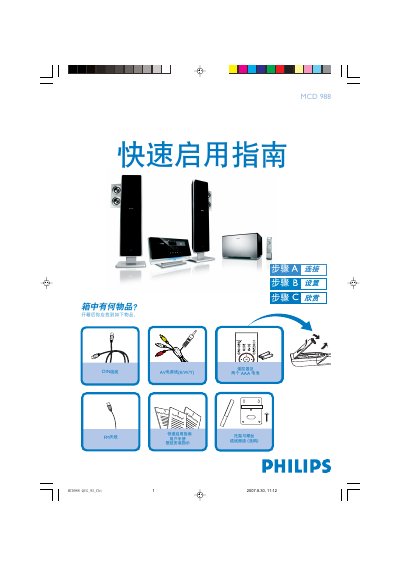
Philips MCD 988 Quick Start Guide
This guide provides step‑by‑step instructions for unpacking the Philips MCD 988, connecting the power cord, AV cable, DIN cable, speaker wires and FM antenna, and mounting the unit on a wall. It also lists the items included in the box, such as the remote control with two AAA batteries.
The manual explains how to set the clock, configure the DVD menu, enable or disable progressive‑scan mode, play discs, and program radio stations. It references the full user manual for detailed settings and additional features. This manual is written in Chinese.
Philips MCD988 specifications
| Batteries | Two AAA batteries |
|---|---|
| Speakers | Left and right speakers, bass speaker |
| Video Input | AV cable |
All Philips MCD988 documents by type
Day-to-day operation, settings and troubleshooting. Start here if the product is already set up.
The shortest path to a working setup, usually only a few pages.
Questions answered in these manuals
How do I set the clock on the MCD 988?
In standby mode, hold the CLOCK/RDS button, then use the VOL+/- keys to set the hour and press CLOCK/RDS to confirm; repeat with VOL+/- to set the minutes and confirm again.
How can I program radio stations on the MCD 988?
Press and hold the PROGRAM button for more than two seconds, then follow the band order to program all receivable stations; use the 1/2 keys to select the desired preset stations.
How do I turn off the device?
Press the STOP button again.
How can I change the language on the DVD Micro Theatre?
Select the desired language from the Language Code list provided in the manual.
How do I set the clock on the MCD 988?
In standby mode, hold the CLOCK/RDS button on the remote, then use the VOL+/- buttons to adjust hours and minutes, confirming each with the CLOCK/RDS button.
How do I start DVD playback?
Press the DISC 1 or DISC 2 button on the remote to open the tray, insert a disc, then press the same button again to close the tray and playback will begin automatically.