
The Philips DVD Mini Home Theater HDMI 1080i MCD988 is equipped with Dolby Virtual Speakers, providing immersive surround sound effects. It supports multiple audio and video formats, with high-definition video and optimized picture quality. It also allows browsing of pictures and music through USB devices.
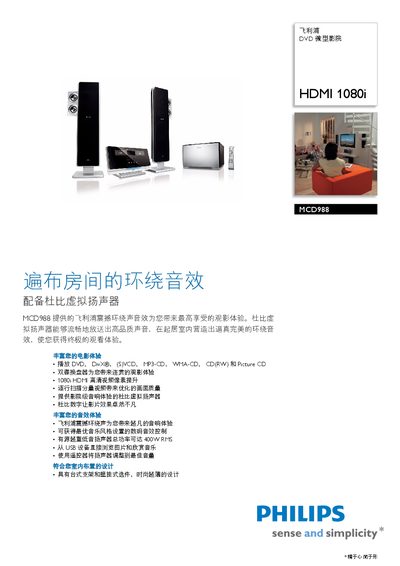
This manual covers the Philips MCD988 DVD micro theater, a compact home cinema system with HDMI 1080i video and Dolby Virtual Speaker sound. It explains how to install the unit on a tabletop or wall mount, connect sources, and use the remote control. The guide details supported media formats, audio controls, USB playback, FM tuner functions, and technical specifications such as 400 W RMS output power, 12‑bit D/A conversion, and power requirements of 110‑240 V. This manual is written in Chinese.
| Total output power | 400 W RMS |
|---|---|
| D/A converter | 12 bit, 108 MHz |
| Video resolution | 1080i (HDMI) |
| Power supply | 110‑240 V, 50/60 Hz |
| Weight (incl. packaging) | 20 kg |
| Supported video formats | DVD, DivX, S/VCD, Picture CD, 720p, 1080i |
It supports high‑definition video up to 1080i via HDMI.
The system delivers a total output power of 400 W RMS.
Yes, inserting a USB device lets you browse and play pictures and music directly.
It operates on 110‑240 V AC at 50/60 Hz.