
Key facts
- Brand
- Philips
- Model
- PET1030
- Category
- Video Player
- Industry
- Electronics
- Documents
- 6
- Languages
- EN · ZH
- Last added
- 2012-03-27
Start here
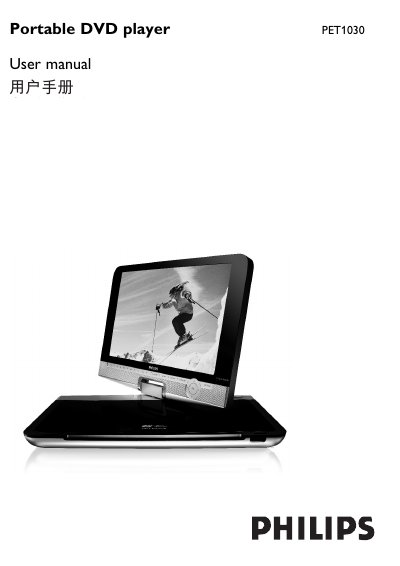
Philips PET1030 Portable DVD Player User Manual
The PET1030 portable DVD player offers a range of playback options, including DVD‑Video, Video CD, Audio CD/MP3/WMA, JPEG CD and DivX video discs. The manual details the control elements, remote functions, disc door operation, and supported connections such as USB, SD/MMC, AV and headphone jack.
Charging is performed with the supplied AC/DC adaptor; the red LED shows charging progress and a full charge takes about four hours. The guide also covers safety precautions, battery handling, power sources (AC adaptor, car adapter, rechargeable battery pack), and additional features like the Zero Bright Dot LCD technology and USB mass‑storage playback.
Philips PET1030 specifications
| Dimensions | 27 x 19 x 3.8 cm |
|---|---|
| Weight | 1.5 kg / 3.3 lb |
| Power input | 100‑240 V, 50/60 Hz |
| Power output | DC 9‑12 V, 1.8‑2.2 A |
| Operating temperature | 0 °C to 50 °C |
| Laser wavelength | 650 nm |
| Video system | NTSC / PAL / AUTO |
All Philips PET1030 documents by type
Day-to-day operation, settings and troubleshooting. Start here if the product is already set up.
Questions answered in these manuals
How do I charge the PET1030 portable DVD player?
Connect the AC/DC adaptor; the red LED lights while charging and the unit takes about four hours to fully charge when not in use.
What types of USB storage are supported?
The player only supports USB Mass Storage (MSC) devices; it does not work with hard‑disk or MTP‑format USB storage.
How do I charge the Philips PET1030 portable DVD player?
Plug in the supplied AC/DC adaptor; the red LED lights while charging and turns off when fully charged, which takes about four hours.
What battery does the remote control use and how do I install it?
The remote uses a CR2025 3 V lithium battery; open the battery compartment, insert the battery, and close the compartment.
What should I check if the player has no power?
Make sure both mains plugs are connected, verify the AC outlet works, ensure the battery pack is inserted, and check that the car adapter is connected correctly.
Which USB storage formats are supported by the PET1030?
The player supports USB Mass Storage (MSC) devices such as flash drives, but does not support hard‑disk storage or Media Transfer Protocol (MTP) formats.