
Key facts
- Brand
- Philips
- Model
- MCD109
- Category
- Hi-Fi
- Industry
- Appliances
- Documents
- 3
- Languages
- ZH · EN
- Last added
- 2012-03-27
Start here
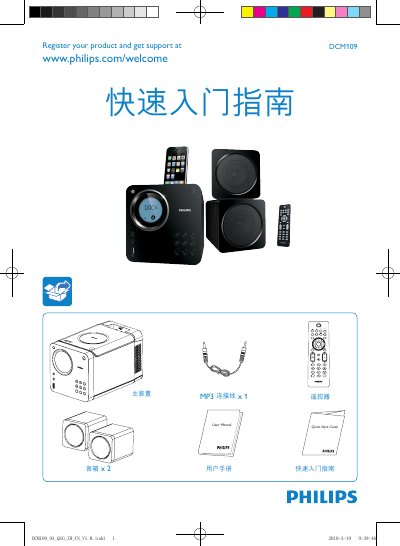
PHILIPS MCD109 user guide
This guide provides fast‑track instructions for getting the Philips DCM109 MP3‑LINK music system up and running. It explains how to connect the main unit, speakers, and power, and how to register the product for support.
The manual details how to select and play media from CD, USB, iPod/iPhone, and FM radio, as well as how to set the clock using the remote control. Step‑by‑step button sequences are provided for each function. This manual is written in Chinese.
Philips MCD109 specifications
| Remote control battery | CR2025 |
|---|---|
| Power supply | AC mains via power cord |
| Video connection | Composite video cable |
| Speaker connection | DIN cable between left speaker and DVD player |
All Philips MCD109 documents by type
Day-to-day operation, settings and troubleshooting. Start here if the product is already set up.
The shortest path to a working setup, usually only a few pages.
Questions answered in these manuals
How do I play a CD?
Press DISC on the remote, press PLAY on the top panel, place the disc in the tray, then press PLAY again.
How do I set the clock?
Hold the CLOCK/DISPLAY button to enter clock‑setting mode, then use PROG, / and other buttons to adjust hours and minutes.
How do I connect the DVD player to my TV?
Use the supplied composite video cable to connect the DVD player to the TV and select the correct video input on the TV.
How should I set the voltage selector before powering the unit?
Adjust the voltage selector on the left speaker to match the local mains voltage, then connect the AC power cord to the wall outlet.