
Key facts
- Brand
- EXTECH
- Model
- AN100
- Industry
- Industrial
- Documents
- 6
- Languages
- ES · EN · FR
- Last added
- 2026-10-29
Start here
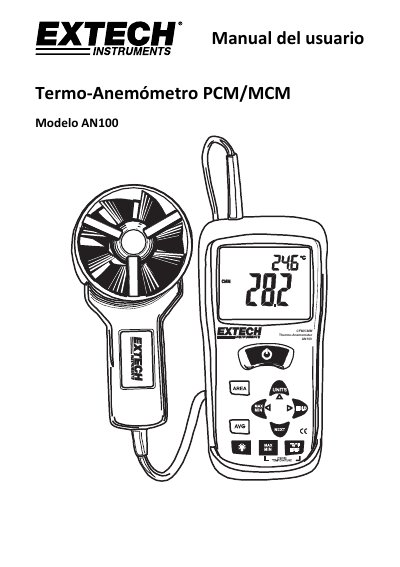
Extech AN100 Thermo-Anemometer User Manual
The Extech AN100 is a handheld instrument designed to measure air speed, airflow volume (CFM/CMM), and air temperature. It features a large backlit LCD with primary and secondary indicators for easy reading in various lighting conditions.
The manual details the device's operation modes, including standard measurements, weighted averages (20-point average), and data retention functions like MAX/MIN/AVG. Users can also store frequently used duct areas in memory to quickly calculate airflow volume. This manual is written in Spanish.
EXTECH AN100 specifications
| Measurements | Air velocity, Airflow volume (CFM/CMM), Air temperature |
|---|---|
| Average readings | Up to 20 readings |
| Memory locations | 16 places (8 for PCM and 8 for MCM) |
| Auto power off time | 20 minutes |
All EXTECH AN100 documents by type
Ratings, dimensions and ordering codes, for selection and design work.
Day-to-day operation, settings and troubleshooting. Start here if the product is already set up.
Questions answered in these manuals
How do I enter the weighted average mode?
Press and hold the AVG button until you hear two beeps to enter the 20-point weighting mode.
How do I store a duct area in memory?
Press and hold the AREA button until you hear two beeps to enter edit mode, input the dimensions, then press and hold AREA again to save.
How do I connect the vane sensor to the meter?
Insert the vane plug into the meter’s sensor jack at the top. Turn it carefully until it lines up and push firmly. Do not twist or apply undue force.
How do I average multiple air velocity readings?
Press and hold the AVG button until it beeps twice. Take measurements and press AVG to store each reading. After 5 seconds, the display returns to current reading. Press and hold AVG again to return to standard mode.
How do I calculate the average of air velocity measurements?
Press and hold the AVG button until the device emits two beeps and displays AVG. Then press AVG after each measurement to add it to the average.
How do I enter a surface area for airflow measurement?
Press and hold the AREA button until the device beeps twice. The leftmost digit will blink, allowing you to use the arrow keys to enter the value.