
Key facts
- Brand
- EXTECH
- Model
- WTH100
- Category
- Clocks and Timers
- Documents
- 2
- Languages
- EN
- Last added
- 2012-08-01
Start here
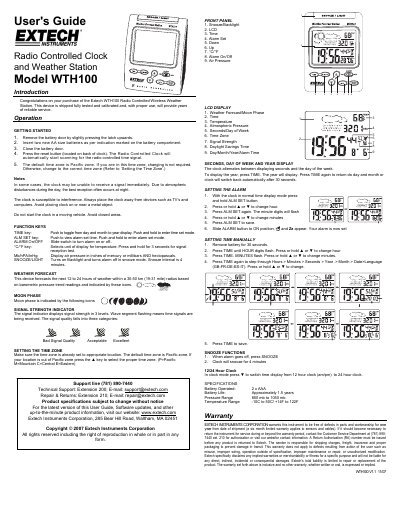
Extech WTH100 Radio Controlled Clock and Weather Station User's Guide
The Extech WTH100 is a radio-controlled wireless weather station that displays time, temperature, atmospheric pressure, and weather forecasts. It features automatic signal reception for accurate timekeeping and includes functions such as snooze, backlight, and moon phase display.
To operate the device, users must insert two AA batteries and press the reset button to initiate scanning for the radio-controlled time signal. The manual details how to set alarms, switch between 12/24-hour formats, change temperature units (°C/°F), and manually adjust settings if automatic synchronization fails.
EXTECH WTH100 specifications
| Battery Type | 2 x AA |
|---|---|
| Temperature Range | -10C to 50C / +14F to 122F |
| Pressure Range | 850 mb to 1050 mb |
| Battery Life | Approximately 1.5 years |
| Warranty Period | One year from date of shipment |
Source: Extech WTH100 Radio Controlled Clock and Weather Station User's Guide
All EXTECH WTH100 documents by type
Day-to-day operation, settings and troubleshooting. Start here if the product is already set up.
Questions answered in these manuals
What does a flashing wave segment on the signal indicator mean?
It means that time signals are currently being received by the device.
From: Extech WTH100 Radio Controlled Clock and Weather Station User's Guide
How long is the snooze interval for this clock?
The clock will snooze for 4 minutes when the SNOOZE/LIGHT key is pressed during an alarm.
From: Extech WTH100 Radio Controlled Clock and Weather Station User's Guide
What languages are supported for the day of the week?
The device supports English, German, French, Italian, and Spanish.
From: EXTECH WTH100 Radio Controlled Wireless Clock with Weather Station Datasheet
What time source does the clock use to automatically adjust the time?
The device receives a time code from the NIST Radio Station WWVB.
From: EXTECH WTH100 Radio Controlled Wireless Clock with Weather Station Datasheet