
Key facts
- Brand
- EXTECH
- Model
- 45170
- Category
- Other device
- Industry
- Industrial
- Documents
- 3
- Languages
- ZH · EN
- Last added
- 2026-10-01
Start here
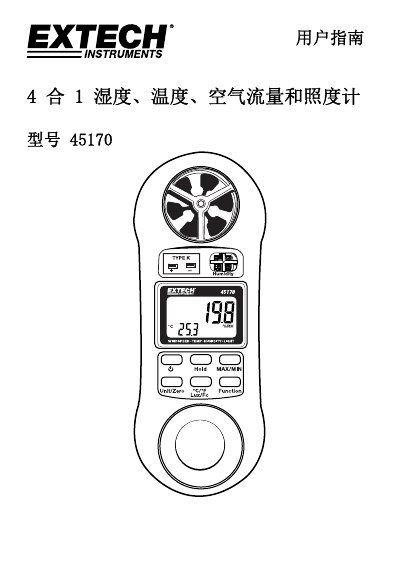
Extech 45170 4-in-1 Humidity, Temperature, Airflow and Lux Meter User Guide
This guide introduces the Extech 45170 4‑in‑1 instrument, which combines humidity, temperature, airflow and lux measurement in a single handheld device. It describes the instrument layout, power operation, and safety considerations for reliable use.
The manual covers each measurement mode—wind speed, relative humidity, temperature (thermocouple or RTD), and illumination—detailing how to select units, record values, use the MIN/MAX and HOLD functions, and understand the auto‑power‑off feature. Technical specifications such as range, resolution, accuracy, and physical dimensions are provided for reference. This manual is written in Chinese.
Extech 45170 specifications
| Wind speed range (mph) | 0.9 – 67.0 mph |
|---|---|
| Wind speed range (km/h) | 1.4 – 108.0 km/h |
| Temperature range (°F) | 32 – 122 °F |
| Relative humidity range | 10.0 – 95.0 % |
| Lux range (auto‑range) | 0 – 2,200 lux |
| Display type | 4‑digit dual LCD |
| Dimensions | 156 × 60 × 33 mm |
Source: Extech 45170 4-in-1 Humidity, Temperature, Airflow and Lux Meter User Guide
All Extech 45170 documents by type
Day-to-day operation, settings and troubleshooting. Start here if the product is already set up.
Questions answered in these manuals
How do I turn the meter on?
Press the POWER button; the instrument powers up and performs a brief self‑test.
From: Extech 45170 4-in-1 Humidity, Temperature, Airflow and Lux Meter User Guide
How can I record minimum and maximum values?
Press the MAX/MIN button once to start recording; press it again to view the maximum, and a third press to view the minimum.
From: Extech 45170 4-in-1 Humidity, Temperature, Airflow and Lux Meter User Guide
How do I turn the meter off?
Press the power button to turn power off.
What happens if no keys are pressed for 10 minutes?
The meter will automatically turn off (Auto Power OFF).
What measurements can the Extech 45170 perform?
The device measures humidity, temperature, air velocity, and light.
From: Extech 45170 Pocket Hygro-Thermo-Anemometer-Light Meter Specifications
What is the maximum temperature range for the Type K probe?
The Type K probe measures temperature from -148°F to 2372°F.
From: Extech 45170 Pocket Hygro-Thermo-Anemometer-Light Meter Specifications