
Key facts
- Brand
- EXTECH
- Model
- LT40
- Category
- Other Electronics
- Documents
- 5
- Languages
- ES · EN
- Last added
- 2023-11-10
Start here
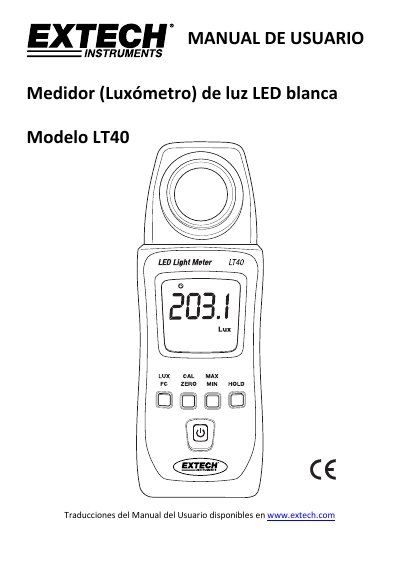
Extech LT40 LED Light Meter User Manual
The Extech LT40 measures white LED light intensity up to 40,000 Fc (400,000 Lux) and can also measure fluorescent, metal halide, high-pressure sodium, and incandescent light sources. It provides data hold, maximum/minimum/average readings, zero calibration, auto power off, auto ranging, and a cosine-corrected sensor.
To measure, turn on the meter, remove the sensor cover, and place the sensor perpendicular to the light source. Readings can be displayed in Lux or foot-candles, and the meter automatically powers off after about 12 minutes of inactivity. It is powered by two 1.5 V AAA batteries. This manual is written in Spanish.
Extech LT40 specifications
| Maximum measurement | 40,000 Fc (400,000 Lux) |
|---|---|
| White LED accuracy | ±(3% reading + 3 Lux) up to 500 Lux; ±(3% reading) above 500 Lux |
| Cosine angle deviation | 30° ±2%, 60° ±6%, 80° ±25% |
| Sampling rate | 2.5 times per second |
| Sensor | Silicon photodiode with cosine correction |
| Display | 4-digit LCD, maximum reading 9999 |
| Operating conditions | 5 to 40°C (41 to 104°F); humidity <80% RH |
| Storage conditions | -10 to 60°C (14 to 140°F); humidity <70% RH |
| Power | 2 AAA 1.5 V batteries |
| Battery life | Approximately 200 hours |
| Auto power off | After 12 minutes of inactivity |
| Dimensions | 133 x 48 x 23 mm (5.2 x 1.9 x 0.9 in) |
| Weight | 250 g (8.8 oz) including batteries |
| LED type | White LED |
| Overload indication | LCD displays OL |
| Low battery indication | Low battery symbol on LCD |
| Data hold | Freezes current reading |
| Max/min/average hold | Records maximum, minimum, and average readings |
| Zero calibration | Adjustable zero calibration |
| Auto power off disable | Disableable |
| Auto ranging | Automatic scale adjustment |
| Cosine-corrected angle | Cosine-corrected |
| Measurement units | Lux or foot-candles (1 fc = 10.76 lux) |
| Display update rate | 2.5 times per second |
| Operating altitude | Up to 2000 m (7000 ft) |
| Pollution degree | 2 |
| Use environment | Indoor use only |
All Extech LT40 documents by type
Day-to-day operation, settings and troubleshooting. Start here if the product is already set up.
Questions answered in these manuals
How do I switch between Lux and foot-candles?
Press the LUX/FC button to toggle between Lux and FC (foot-candle) units.
How do I hold a reading on the display?
Press the HOLD button to freeze the current reading; press it again to release.
Can the LT40 measure light from sources other than white LEDs?
Yes, it can measure fluorescent, metal halide, high-pressure sodium, and incandescent sources, but these are for reference only with unspecified accuracy.
How do I switch between Lux and foot-candles?
Press the LUX/FC button to toggle between Lux and FC (foot‐candles) measurement units.
What is the maximum measurement range?
The LT40 can measure up to 400,000 Lux (40,000 Fc).
How long does the battery last?
The battery life is approximately 200 hours.