
Key facts
- Brand
- EXTECH
- Model
- RH305
- Category
- Other Electronics
- Industry
- Industrial
- Documents
- 3
- Languages
- ZH · EN · ES
- Last added
- 2023-01-16
Start here
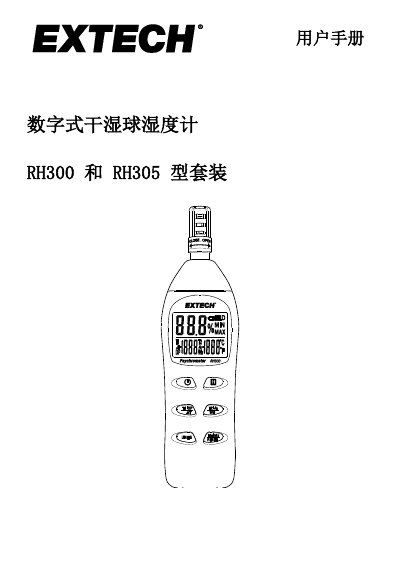
Extech RH300/RH305 Digital Psychrometer User Manual
The Extech RH300 and RH305 are digital psychrometers designed to measure relative humidity, air temperature (T1), and optional external probe temperature (T2). The device calculates derived values such as dew point, wet bulb temperature, and temperature differences. It features a three-zone LCD display, data hold, min/max recording, and an adjustable auto power-off function. This manual is written in Chinese.
Read onlineExtech RH305 specifications
| Humidity Range | 0.0 to 100.0% RH |
|---|---|
| Humidity Accuracy | ±3% RH (10 to 90%) @ 23°C |
| Internal Temperature Range | -20 to 50°C (-4.0 to 122.0°F) |
| External Probe Temperature Range | -20 to 70°C (-4.0 to 158.0°F) |
| Response Time | 60 seconds typical |
| Power Supply | 2 x 1.5V 'AAA' batteries |
| Battery Life | Approx. 80 hours |
| Dimensions | 178.5 x 48.8 x 25.2mm |
Source: Extech RH300 and RH305 Digital Psychrometer User Manual
All Extech RH305 documents by type
Day-to-day operation, settings and troubleshooting. Start here if the product is already set up.
Questions answered in these manuals
How do I disable the automatic power-off (APO) feature?
Long press the H button while switching the meter on, then hold both buttons until 'n' appears on the display to disable APO.
From: Extech RH300 and RH305 Digital Psychrometer User Manual
What batteries are required for the RH300?
The device requires two 1.5V 'AAA' batteries installed in the rear battery compartment.
From: Extech RH300 and RH305 Digital Psychrometer User Manual
How do I calibrate the RH300?
Insert the sensor into a reference bottle (33% or 75%), turn on the unit while holding the UNITS button, and follow the on-screen flashing instructions.
From: Extech Digital Hygrometer Model RH300 and kit RH305 User Manual
What does error code ER1 mean?
It indicates a failure in the relative humidity measurement, requiring repair or replacement of the device.
From: Extech Digital Hygrometer Model RH300 and kit RH305 User Manual