
Key facts
- Brand
- EXTECH
- Model
- CO100
- Industry
- Industrial
- Documents
- 2
- Languages
- EN
- Last added
- 2012-08-01
Start here
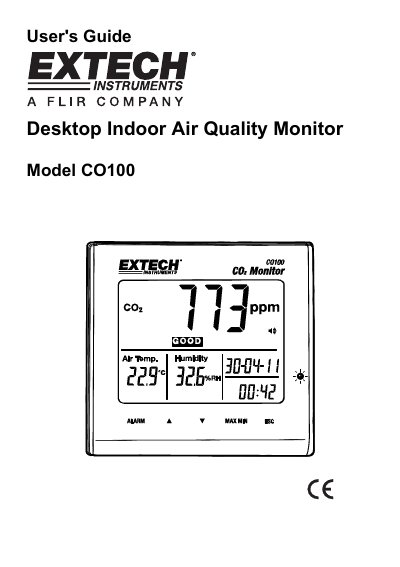
Extech CO100 Desktop Indoor Air Quality Monitor User's Guide
The Extech CO100 is a desktop indoor air quality monitor designed to measure Carbon Dioxide (CO2) levels, temperature, and humidity. It features an LCD display that shows readings in parts-per-million (ppm), degrees Celsius or Fahrenheit, and percentage relative humidity. The device includes status indications for Good, Normal, and Poor air quality levels.
Read onlineEXTECH CO100 specifications
| CO2 Range | 0 to 9999ppm |
|---|---|
| Temperature Range | -5°C to 50°C (23°F to 122°F) |
| Humidity Range | 0.1 to 90.0% |
| Sensor Type | NDIR (non-dispersive infrared) |
| Power Supply | 110V ~ 220V AC, output 6.0V DC = 500mA |
| Dimensions / Weight | 117x102x102mm (4.6x4x4"); 204g (7.2 oz.) |
Source: Extech CO100 Desktop Indoor Air Quality Monitor User's Guide
All EXTECH CO100 documents by type
Day-to-day operation, settings and troubleshooting. Start here if the product is already set up.
Questions answered in these manuals
What are the CO2 status indications?
The meter displays Good (0 to 800ppm), Normal (800 to 1200ppm), and Poor (>1200ppm).
From: Extech CO100 Desktop Indoor Air Quality Monitor User's Guide
How do I activate the alarm?
Press the Alarm button once to activate the Alarm mode, indicated by an icon on the LCD.
From: Extech CO100 Desktop Indoor Air Quality Monitor User's Guide
Where is this monitor suitable for use?
It is suitable for schools, office buildings, greenhouses, factories, hotels, hospitals, and transportation lines.
From: EXTECH CO100 Desktop Indoor Air Quality CO2 Monitor Product Datasheet