
Key facts
- Brand
- EXTECH
- Model
- TM500
- Documents
- 2
- Languages
- EN
- Last added
- 2023-10-18
Start here
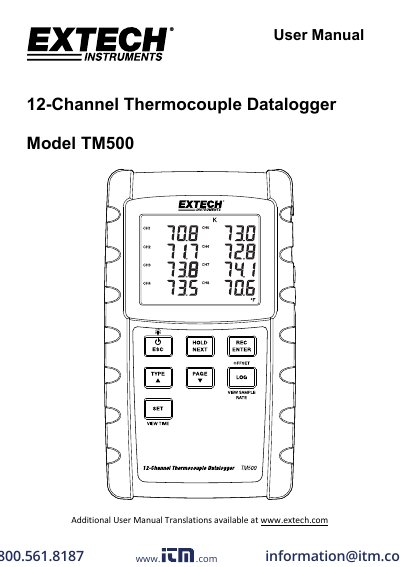
Extech TM500 12-Channel Thermocouple Datalogger User Manual
The Extech TM500 is a 12-channel thermocouple datalogger that records and displays temperature readings from Type K, J, T, R, E, or S probes. It stores data on an SD card for transfer to a PC. The manual covers setup, calibration, display controls, and data logging features including loop mode, offset adjustment, and MAX-MIN recording. Power options include AA batteries or an optional AC adapter.
Read onlineExtech TM500 specifications
| Thermocouple Types | K, J, T, R, E, or S |
|---|---|
| Channels | 12 |
| Data Storage | SD card |
| Sampling Rate | 1 to 3600 seconds |
| Temperature Range | ‐20 to +250°C (‐4 to +482°F) |
Source: Extech TM500 12-Channel Thermocouple Datalogger User Manual
All Extech TM500 documents by type
Day-to-day operation, settings and troubleshooting. Start here if the product is already set up.
Questions answered in these manuals
What thermocouple types are supported?
The meter supports Type K, J, T, R, E, or S thermocouples.
From: Extech TM500 12-Channel Thermocouple Datalogger User Manual
How many channels does the TM500 have?
It has 12 channels for thermocouple inputs.
From: Extech TM500 12-Channel Thermocouple Datalogger User Manual
How do I power on or off the Extech TM500?
Press the power button to turn on the meter. Press and hold the power button for at least 3 seconds to power it off.
From: Extech TM500 12-Channel Thermocouple Datalogger User Manual
What thermocouple types does the TM500 support?
The meter supports Type K, J, T, R, E, or S thermocouple probes.
From: Extech TM500 12-Channel Thermocouple Datalogger User Manual