
Key facts
- Brand
- EXTECH
- Model
- SD700
- Category
- Other Electronics
- Industry
- Industrial
- Documents
- 2
- Languages
- ZH · DE
- Last added
- 2026-09-29
Start here
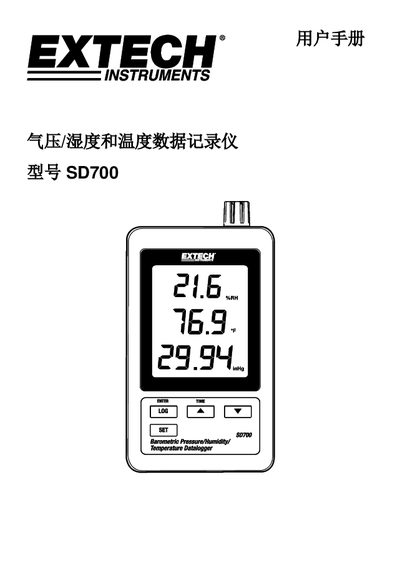
Extech SD700 Pressure/Humidity/Temperature Data Logger User Manual
The Extech SD700 is a handheld data logger that measures atmospheric pressure, relative humidity and temperature, stores the readings on an SD card and can transfer the data to a computer. This manual provides an overview of the device, its components and how to install batteries or an AC adapter.
It explains how to operate the logger, configure advanced settings such as sampling rate, units and SD‑card formatting, and describes the RS‑232 output. Technical specifications and troubleshooting tips are included to help users achieve reliable measurements. This manual is written in Chinese.
Extech SD700 specifications
| Display | 60 x 50 mm (2.4 x 2.0”) LCD |
|---|---|
| Measured Parameters | Temperature, Relative Humidity, Atmospheric Pressure |
| Memory Card Capacity | 1 GB to 16 GB SD card |
| Sampling Rate Options | 5, 10, 30, 60, 120, 300, 600 s or auto |
| Power Supply | 6 × AAA (1.5 V) or 9 V AC adapter |
| Battery Life | ≈1 month with new alkaline AAA at 60 s rate |
| Weight | 282 g (0.62 lb) |
| Dimensions | 132 × 80 × 32 mm (5.2 × 3.1 × 1.3 in) |
| Temperature Range | 0.0 °C to 50.0 °C |
| Temperature Accuracy | ±0.8 °C (0.1 °C resolution) |
| Humidity Accuracy | ±0.1 % (±(4 %+1 % RH) reading) |
| Pressure Range | 10.0 hPa to 000.0 hPa |
| Pressure Accuracy | ±2 hPa (0.1 hPa resolution) |
Source: Extech SD700 Pressure/Humidity/Temperature Data Logger User Manual
All Extech SD700 documents by type
Day-to-day operation, settings and troubleshooting. Start here if the product is already set up.
Questions answered in these manuals
How can I format the SD card?
Enter Advanced Settings, select "Sd F – Format SD card", choose Yes, and press Enter to format, which erases all current data.
From: Extech SD700 Pressure/Humidity/Temperature Data Logger User Manual
How do I set the sampling rate?
In Advanced Settings choose "SP-t – Set sampling rate", press the up/down buttons to pick the desired interval (5‑600 s or auto) and press Enter to store it.
From: Extech SD700 Pressure/Humidity/Temperature Data Logger User Manual
What is the minimum capacity required for the SD card?
The SD card should have a minimum capacity of 1 GB.
How do I start data logging?
Press and hold the LOGGER button for more than 2 seconds to begin recording.