
Key facts
- Brand
- Philips
- Model
- MCM138D
- Category
- Hi-Fi
- Industry
- Appliances
- Documents
- 6
- Languages
- EN · ZH
- Last added
- 2012-03-27
Start here
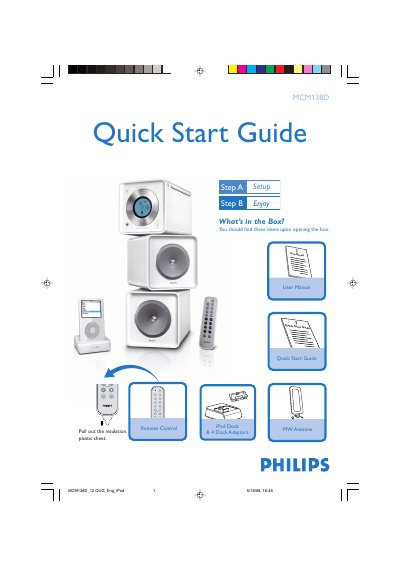
Philips MCM138D iPod Dock Quick Start Guide
The guide begins with a list of items included in the box and shows how to connect the MW antenna, speaker wires and power cord. It then explains how to set the clock using the PROG/CLOCK button and how to select and use the various audio sources such as CD, TUNER, AUX and the iPod dock.
The final section details the iPod docking procedure, including selecting the correct dock adaptor, inserting the iPod, connecting the dock cable and choosing the DOCK source. It also notes that the iPod will charge while in standby or powered‑on mode.
Philips MCM138D specifications
| Power supply | AC power outlet |
|---|---|
| Antenna type | MW antenna |
| Dock adaptor | Included dock adaptor for iPod |
All Philips MCM138D documents by type
Day-to-day operation, settings and troubleshooting. Start here if the product is already set up.
The shortest path to a working setup, usually only a few pages.
Questions answered in these manuals
What voltage selector setting should I use for my country?
Set the voltage selector on the back panel to 110 V‑127 V for regions with that mains voltage, otherwise leave it at the factory preset 220 V‑240 V.
From: Philips MCM138D Docking Entertainment System User Manual
What should I do if the system does not play a disc?
Check that the disc is inserted correctly, clean the disc and lens if needed, ensure the speakers are connected, and verify the volume and source settings.
From: Philips MCM138D Docking Entertainment System User Manual
How do I connect an iPod to the MCM138D?
Insert the iPod into the dock slot, connect the dock cable to the DOCK IN interface on the main unit, then press the SOURCE button (or the remote’s DOCK button) to select the dock source; playback will start automatically.
How do I set the clock on the MCM138D?
Press the PROG/CLOCK key to make the hour digits flash, use the ↑/↓ keys to set the hour, press PROG/CLOCK again for minutes, then confirm with PROG/CLOCK.
From: Philips MCM138D MW Antenna Base and Holder User Manual
How do I play a CD with the MCM138D?
Open the CD door with the OPEN/CLOSE button, insert a disc with the label side up, close the door, then press the play button (ÉÅ) to start playback.
From: Philips MCM138D MW Antenna Base and Holder User Manual
How can I charge my iPod with the MCM138D?
The system can play an iPod and charge it simultaneously using the built‑in connector.
From: philips micro Hi-Fi system MP3/WMA-CD Broadcast MCM138D Manual