
Key facts
- Brand
- Philips
- Model
- MCM103
- Category
- Hi-Fi
- Industry
- Appliances
- Documents
- 7
- Languages
- ZH · EN
- Last added
- 2012-03-27
Start here
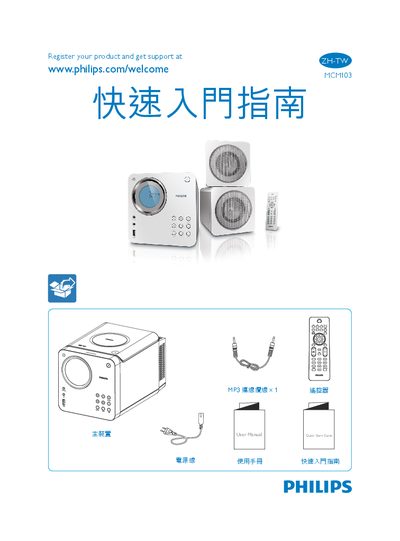
Philips MCM103 Multimedia Player Quick Start Guide
This Quick Start Guide provides step‑by‑step instructions for getting the Philips MCM103 multimedia player up and running. It includes details on connecting the power cable, using the remote control, and navigating the main menu.
The guide also explains how to set the clock, play music from a USB drive, use the radio function, and enable shuffle mode, helping users make full use of the device's features. This manual is written in Chinese.
Philips MCM103 specifications
| Speaker Impedance | 4 Ω |
|---|---|
| Speaker Driver Size | 3.5 in |
| Sensitivity | >82 dB/m/W |
| AC Power Input | 110‑127 V / 220‑240 V, 50/60 Hz |
| Operating Power Consumption | 20 W |
| Standby Power Consumption | < 4 W |
| USB Interface | USB 2.0/1.1 |
All Philips MCM103 documents by type
Day-to-day operation, settings and troubleshooting. Start here if the product is already set up.
The shortest path to a working setup, usually only a few pages.
Questions answered in these manuals
How can I register my Philips MCM103 product?
You can register the product online at www.philips.com/welcome.
How do I adjust the volume on the MCM103?
Use the VOLUME +/- buttons to increase or decrease the sound level.
How do I set the clock on the MCM103?
Press and hold the B and C buttons to set the clock.
How do I register the Philips MCM103?
Visit the registration page at www.philips.com/welcome to register the product and get support.
How do I set the clock on the MCM103?
Press and hold the B and C buttons together to set the clock.
How do I adjust the volume?
Press the VOLUME +/- buttons on the remote or the device to increase or decrease the sound level.