
Key facts
- Brand
- Philips
- Model
- MCM277
- Category
- Hi-Fi
- Industry
- Appliances
- Documents
- 5
- Languages
- EN · ZH
- Last added
- 2012-03-27
Start here
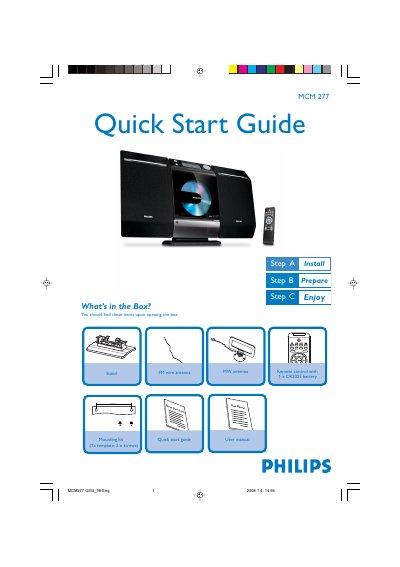
Philips MCM277 Quick Start Guide
The guide begins with a list of items included in the box, such as the MCM277 unit, a remote control with a CR2025 battery, a 140 mm stand, mounting kit, and antennas. It then walks you through mounting the stand, connecting the left and right speaker cables, attaching the FM or MW antenna, and plugging in the AC power cord.
After installation, the guide explains how to set the clock, play CDs, use the USB port for flash drives or memory cards, and tune to radio stations. It also covers basic remote‑control functions like selecting the source, starting and stopping playback, and switching the unit to standby.
Philips MCM277 specifications
| Output Power (RMS) | 2 x 5 W |
|---|---|
| Output Power (PMPO) | 400 W |
| Speaker Type | 4‑inch bass‑reflex speaker system |
| Playback Media | CD, CD‑R, CD‑RW, MP3‑CD, WMA‑CD |
| USB Direct Functions | Fast forward/rewind, play/pause, track navigation, repeat, random, stop |
| Tuner Bands | FM stereo, MW |
| Dimensions (W×H×D) | 194 mm × 269 mm × 90 mm |
| Weight (incl. packaging) | 5.5 kg |
| Power Supply | 110‑240 V, 50/60 Hz |
All Philips MCM277 documents by type
Day-to-day operation, settings and troubleshooting. Start here if the product is already set up.
The shortest path to a working setup, usually only a few pages.
Questions answered in these manuals
How do I set the clock on the MCM277?
In standby mode, press and hold DISPLAY/CLOCK on the remote, then use VOL +/- to select 12‑hour or 24‑hour format and set hours and minutes.
How do I connect the speakers?
Connect the left speaker cable to the LEFT terminals (red and black) and the right speaker cable to the RIGHT terminals (red and black).
How do I replace the remote control battery?
Open the remote control compartment, insert a new CR2025 battery with the correct polarity, and close the compartment.
How can I mount the MCM277 on a wall?
Use the supplied wall‑mounting kit: drill the marked holes, insert dowels and screws, attach the template, and hang the unit on the fastening screws.
How do I play music from a USB device?
Connect the USB device to the USB port and use the USB Direct mode to play MP3/WMA files directly.
What tuner functions does the system have?
It includes an FM stereo and MW tuner with automatic digital station storage for up to 40 preset stations.