
Key facts
- Brand
- Philips
- Model
- MC145
- Category
- Hi-Fi
- Industry
- Appliances
- Documents
- 3
- Languages
- ZH · EN
- Last added
- 2012-03-27
Start here
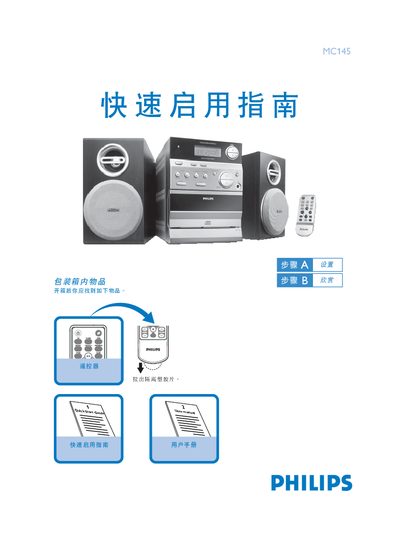
Philips MC145 CD Radio Quick Start Guide
This guide shows what is included in the box and how to connect the Philips MC145 CD radio to AC power. It also explains how to open and close the CD door and start playback.
Instructions are provided for setting the clock in standby or clock‑display mode, selecting radio bands, and using the preset function. The guide includes key‑press sequences for adjusting hours, minutes, and confirming the time. This manual is written in Chinese.
Philips MC145 specifications
| Amplifier Output Power | 2 × 2 W RMS |
|---|---|
| Maximum Power (PMPO) | 200 W |
| Signal‑to‑Noise Ratio | ≥ 62 dBA (IEC) |
| Frequency Response | 63 – 16000 Hz ± 3 dB |
| Headphone Impedance | 32 Ω – 1000 Ω |
| Power Supply | 220 – 240 V / 50 Hz |
| Dimensions (W × H × D) | 168 × 224.5 × 214.5 mm |
All Philips MC145 documents by type
Day-to-day operation, settings and troubleshooting. Start here if the product is already set up.
The shortest path to a working setup, usually only a few pages.
Questions answered in these manuals
How do I open the CD door?
Lift the top edge of the CD door where the label "OPEN/CLOSE" is printed.
How do I set the clock time?
Press the DISPLAYICLOCK key, set the hour, press DISPLAYICLOCK again, set the minute, then press DISPLAYICLOCK to confirm.
How do I replace the remote‑control battery?
Remove the plastic cover, pull out the battery compartment, insert a new CR2032 lithium battery, and re‑insert the compartment.
What should I do if the CD player shows a “no cd” message?
Insert a disc correctly, ensure it is not upside‑down or wet, let any condensation evaporate, and if needed clean or replace the disc.
What safety warning is given for the Philips MC145?
The manual cautions that using controls, adjustments, or performing procedures not described may result in hazardous radiation exposure or unsafe operation.