
Key facts
- Brand
- Philips
- Model
- CED370
- Category
- MP3 Player
- Industry
- Electronics
- Documents
- 3
- Languages
- ZH · JA
- Last added
- 2012-03-27
Start here
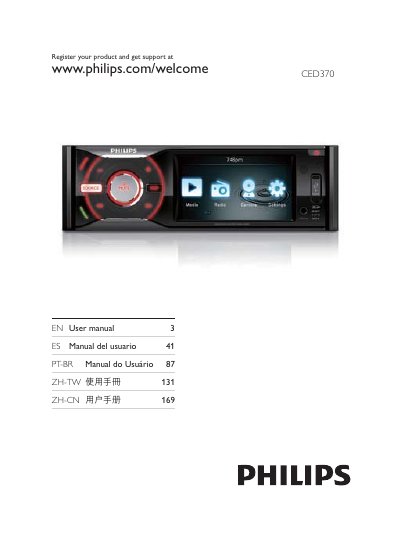
Philips CED370 Player User Manual
This manual begins with safety warnings and important precautions for using the CED370, including the requirement to operate the unit on a grounded 12 V power source and to avoid exposure of the laser beam. It also explains the product’s environmental compliance, packaging contents, and the classification of the laser as a Class 1 device.
The guide then covers installation of the unit and remote control, describes the main interface buttons, and details how to play various media formats such as DVD, VCD, CD, USB sticks, SD/SDHC/MMC cards, and FM/AM radio. Audio features like EQ, balance, bass boost, subtitles, and DivX playback are explained, along with navigation controls for menus, chapters, and random/shuffle modes. This manual is written in Chinese.
Philips CED370 specifications
| Display type | LCD TFT |
|---|---|
| Screen size | 3.5 inches |
| Resolution | 320 × 240 (RGB) |
| Brightness | 350 cd/m² |
| Contrast ratio | 500:1 (typical) |
| Maximum power output | 50 W × 4 channels |
| Input RMS | 22 V RMS × 4 channels |
| USB interface | USB 2.0 Host |
| Memory card support | SD, SDHC |
| Dimensions (W × H × D) | 188 × 58 × 193 mm |
All Philips CED370 documents by type
Day-to-day operation, settings and troubleshooting. Start here if the product is already set up.
Questions answered in these manuals
Does the CED370 support DivX video playback?
Yes, the manual states that the player supports DivX video files.
What is the laser safety class of the CED370?
The product is classified as a Class 1 laser device.
How do I connect the CED370 to other devices?
Use the included cable and connect it to the appropriate ports as illustrated in the guide.
How do I change the language on the CED370?
Select the desired language from the OSD menu displayed on the screen.
What video media formats are supported by the CED370?
The CED370 can play DVD, DVD‑R/RW, DVD+R/RW, Video CD, SVCD, Picture CD, and files from USB storage.
How can I play MP3 files on the CED370?
MP3 files can be played via the MP3 Link function using a portable MP3 player, USB storage, or an SD/SDHC card.