
Key facts
- Brand
- DELL
- Model
- 12 7000 Series
- Documents
- 51
- Languages
- EN · MUL
- Last added
- 2023-11-25
Start here
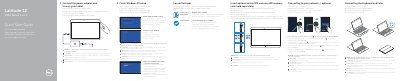
Dell Latitude 12 7000 Series 2-in-1 Quick Start Guide
This guide helps you set up your Dell Latitude 12 7000 Series 2-in-1 quickly. It covers connecting power, inserting SIM and SD cards, completing Windows 10 setup, enabling support, connecting to Wi-Fi, and using the keyboard and Folio. It also lists device features like cameras, microphones, USB-C ports, and security slots.
For optional steps, it explains how to connect to mobile broadband, use the magnetic Folio, and manage device settings via the system tray.
Dell 12 7000 Series specifications
| Computer model | Latitude 7250/E7250 |
|---|---|
| Regulatory model | P22S |
| Regulatory type | P22S002 |
Source: Dell Latitude 12 7000 Series (7250/E7250) Quick Start Guide
All Dell 12 7000 Series documents by type
The shortest path to a working setup, usually only a few pages.
- Dell Latitude 12 7000 Series 2-in-1 Quick Start Guide 2 p
- Dell Latitude 12 7000 Series 2-in-1 (7275) Quick Start Guide 2 p
- Dell Latitude 12 7000 Series (7250/E7250) Quick Start Guide 2 p
- Dell Latitude 12 7000 Series 7275 2-in-1 Quick Start Guide 2 p
- Dell Latitude 12 7000 Series 2-in-1 Quick Start Guide 2 p
- Latitude 12 7000 Series 2-in-1 Quick Start Guide 2 p
- Dell Latitude 12 7000 Series 2-in-1 Quick Start Guide 2 p
- Latitude 12 7000 Series 2-in-1 Quick Start Guide 2 p
- Dell Latitude 12 7000 Series (12-7270/E7270) Notebook Quick Start Guide 2 p
- Dell Latitude 12 7000 Series Computer Quick Start Guide 2 p
- Dell Latitude 12 7000 Series 2-in-1 (7275) Quick Start Guide 2 p
- Dell Latitude 12 7000 Series 7275 2-in-1 Tablet Quick Start Guide 2 p
- Dell Latitude 12 7000 Series 2-in-1 Tablet Quick Start Guide 2 p
- Dell Latitude 12 7000 Series (12-7270/E7270) Laptop Quick Start Guide 2 p
- Dell Latitude 12 7000 Series Computer Quick Start Guide 2 p
- Dell Latitude 12 7000 Series (7270/E7270) Notebook Quick Start Guide 2 p
- Dell Latitude 12 7000 Series (7250) Laptop Quick Start Guide 2 p
- Dell Latitude 12 7000 Series 2-in-1 (Latitude 12 7275) Quick Start Guide 2 p
- Dell Latitude 12 7000 Series Quick Start Guide 2 p
- Dell Latitude 12 7000 Series Quick Start Guide 2 p
- Dell Latitude 12 7000 Series 2-in-1 Quick Start Guide 2 p
- Dell Latitude 12 7000 Series (7250/E7250) Laptop Quick Start Guide 2 p
- Dell Latitude 12 7000 Series 2-in-1 Quick Start Guide 2 p
- Dell Latitude 12 7000 Series 2-in-1 Tablet Quick Start Guide 2 p
- Dell Latitude 12 7000 Series Quick Start Guide 2 p
- Dell Latitude 12 7000 Series 2-in-1 Quick Start Guide 2 p
- Dell Latitude 12 7000 Series Notebook Quick Start Guide 2 p
- Dell Latitude 12 7000 Series Laptop Quick Start Guide 2 p
- Dell Latitude 12 7000 Series 2-in-1 Quick Start Guide 2 p
- Dell Latitude 12 7000 Series 7275 2-in-1 Quick Start Guide 2 p
- Dell Latitude 12 7000 Series Quick Start Guide 2 p
- Dell Latitude 12 7000 Series 2-in-1 Quick Start Guide 2 p
- Dell Latitude 12 7000 Series 2-in-1 Quick Start Guide 2 p
- Dell Latitude 12 7000 Series 2-in-1 Quick Start Guide 2 p
- Dell Latitude 12 7000 Series 2-in-1 Quick Start Guide 2 p
- Dell Latitude 12 7000 Series Notebook Quick Start Guide 2 p
- Dell Latitude 12 7000 Series Quick Start Guide 2 p
- Dell Latitude 12 7000 Series Quick Start Guide 2 p
- Dell Latitude 12 7000 Series Notebook Quick Start Guide 2 p
- Dell Latitude 12 7000 Series Quick Start Guide 2 p
- Dell Latitude 12 7000 Series Quick Start Guide 2 p
- Dell Latitude 12 7000 Series (7250/E7250) Notebook Quick Start Guide 2 p
- Dell Latitude 12 7000 Series Quick Start Guide 2 p
- Dell Latitude 12 7000 Series (7250/E7250) Quick Start Guide 2 p
- Dell Latitude 12 7000 Series (7270/E7270) Quick Start Guide 2 p
- Dell Latitude 12 7000 Series Notebook Quick Start Guide 2 p
- Dell Latitude 12 7000 Series Notebook Quick Start Guide 2 p
- Dell Latitude 12 7000 Series 2-in-1 Quick Start Guide 2 p
- Dell Latitude 12 7000 Series 2-in-1 (7275) Quick Start Guide 2 p
- Dell Latitude 12 7000 Series 2-in-1 Quick Start Guide 2 p
Day-to-day operation, settings and troubleshooting. Start here if the product is already set up.
Questions answered in these manuals
When should the micro-SIM and microSD cards be inserted?
It is recommended to insert these cards before you power on the tablet.
How can I tell if the keyboard is correctly aligned with the tablet?
The keyboard backlight will turn on for 2 seconds when the docking pins are aligned correctly.
What should be done before powering on the tablet?
It is recommended to insert the micro-SIM card and the microSD card before powering on the tablet.
From: Dell Latitude 12 7000 Series 2-in-1 (7275) Quick Start Guide
How long does the keyboard backlight turn on when the docking pins align correctly?
The keyboard backlight turns on for 2 seconds when the tablet-docking pins and keyboard-docking pins are aligned correctly.
From: Dell Latitude 12 7000 Series 2-in-1 (7275) Quick Start Guide
How do I turn on the computer?
Connect the power adapter and turn on your computer.
From: Dell Latitude 12 7000 Series (7250/E7250) Quick Start Guide
Where can I find product support and manuals?
Visit dell.com/support and dell.com/support/manuals.
From: Dell Latitude 12 7000 Series (7250/E7250) Quick Start Guide