
Dell Latitude 12 7000 Series Quick Start Guide
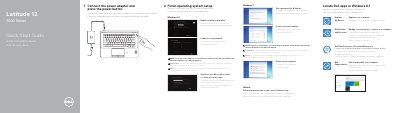
This quick start guide covers initial setup for Dell Latitude 12 7000 Series (7270/E7270) laptops, including connecting the power adapter, powering on, locating Dell apps, registering the device, backup and recovery, data protection, and Dell SupportAssist.
It also explains how to finish operating system setup for Windows 8.1, Windows 7, or Ubuntu, identifies external features and ports, lists product support and manual resources, and provides regulatory and safety information.
| Computer model | Latitude 12-7270/E7270 |
|---|---|
| Regulatory model | P26S |
| Regulatory type | P26S001 |
| Input voltage | 100 V AC-240 V AC |
| Input current (maximum) | 2.5 A |
| Input frequency | 50 Hz-60 Hz |
| Output current | 3.34 A-4.62 A |
| Output voltage | 19.5 V DC |
Follow the instructions shown on the screen to finish setup.
Dell lists product support and manuals at Dell.com/support and Dell.com/support/manuals.
The regulatory model number is P26S.
The guide identifies connectors and features such as network, HDMI, Mini DisplayPort, USB 3.0, power, headset, memory card reader, and optional smart card and fingerprint readers.