
The Dell Latitude 12 7000 Series 2-in-1 Quick Start Guide provides instructions on how to connect the power adapter, turn on the tablet, finish Windows 10 setup, enable support and protection, and connect to a network.
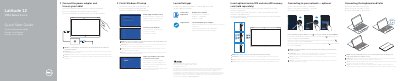
This quick start guide covers initial setup of the Dell Latitude 12 7000 Series 2-in-1, including connecting the power adapter, finishing Windows 10 setup, inserting optional micro-SIM and microSD cards, connecting to a network, and connecting or disconnecting the keyboard and Folio.
It also identifies the tablet features, lists Dell product support and manuals resources, and provides regulatory and safety information, including the regulatory model T02H and computer model Latitude 12 7275.
| Battery model | FWRM8 (7.4Vdc, 30Wh) |
|---|---|
| Charger model | PA-1300-04 |
| Input voltage | 120 V AC-240 V AC |
| Input current (maximum) | 1.30 A |
| Input frequency | 50 Hz-60 Hz |
| Output current | 1.5 A |
| Output voltage | 20 V DC |
It is recommended to insert the micro-SIM card and the microSD card before powering on the tablet.
Dell Product Registration and SupportAssist are listed under Locate Dell apps.
The regulatory model is T02H.