
Key facts
Start here
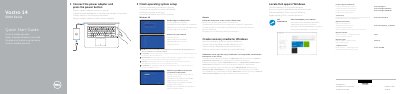
Dell Vostro 14 5000 Series 14-5468 Computer Quick Start Guide
The Dell Vostro 14 5000 Series Quick Start Guide covers initial setup for the Vostro 14-5468 computer. It tells you to connect the power adapter and press the power button, then finish operating system setup for Windows 10 or Ubuntu. It also points to Dell apps in Windows, Dell support and manuals pages, contact information, and regulatory and safety information.
The guide lists the computer's features, including the microphone, camera, security-cable slot, power button, VGA port, USB 3.0 ports, memory card reader, fingerprint reader, speakers, touchpad, headset port, HDMI port, network port, power port, and service tag label. It also shows shortcut keys for audio, media playback, display, search, keyboard backlight, brightness, wireless, status-light toggling, Fn-key lock, and sleep.
Dell Vostro 14 5000 Series (Vostro 14-5468) specifications
| Computer model | Vostro 14-5468 |
|---|---|
| Regulatory model | P75G |
| Regulatory type | P75G001 |
| USB 3.0 port with PowerShare | Included |
Source: Dell Vostro 14 5000 Series 14-5468 Computer Quick Start Guide
All Dell Vostro 14 5000 Series (Vostro 14-5468) documents by type
The shortest path to a working setup, usually only a few pages.
Questions answered in these manuals
How do I start the Dell Vostro 14-5468?
Connect the power adapter and press the power button.
From: Dell Vostro 14 5000 Series 14-5468 Computer Quick Start Guide
How do I create recovery media for Windows?
In Windows search, type Recovery, click Create a recovery media, and follow the instructions on the screen.
From: Dell Vostro 14 5000 Series 14-5468 Computer Quick Start Guide
How do I create a recovery drive for Windows on this laptop?
In Windows search, type Recovery, click Create a recovery media, and follow the on-screen instructions.
Where is the service tag label located on the laptop?
The service tag label is on the bottom of the laptop (item 21 in the diagram).
How do I finish operating system setup?
Follow the instructions on the screen to finish setup.
From: Dell Vostro 14 5000 Series (Vostro 14-5468) Quick Start Guide
How do I create recovery media for Windows?
In Windows search, type Recovery, click Create a recovery media, and follow the instructions on the screen.
From: Dell Vostro 14 5000 Series (Vostro 14-5468) Quick Start Guide