
Key facts
- Brand
- DELL
- Model
- K11A
- Category
- Mouse keyboard
- Documents
- 6
- Languages
- EN
- Last added
- 2023-11-29
Start here
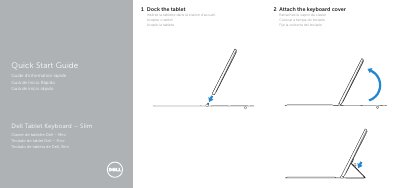
Dell K11A Tablet Keyboard Slim Quick Start Guide
Quick Start Guide 2 pages · 59 KB · EN
This document is a Quick Start Guide for the Dell K11A Tablet Keyboard Slim. It provides instructions on how to dock the tablet into the keyboard cover and lists the main components of the device.
Read onlineDell K11A specifications
| Regulatory model | K11A |
|---|---|
| Regulatory type | K11A001 |
| Features | Magnets, docking pins, docking connectors, touch pad |
All Dell K11A documents by type
Quick Start Guide 6
The shortest path to a working setup, usually only a few pages.
- Dell K11A Tablet Keyboard Slim Quick Start Guide 2 p
- Dell K11A Tablet Keyboard Slim Quick Start Guide 2 p
- Dell Tablet Keyboard – Slim K11A Quick Start Guide 2 p
- Dell Tablet Keyboard – Slim K11A Quick Start Guide 2 p
- Dell Tablet Keyboard – Slim K11A Quick Start Guide 2 p
- Dell K11A Tablet Keyboard Slim Quick Start Guide 2 p
Questions answered in these manuals
What is the Dell K11A keyboard cover used for?
It attaches to a tablet as a keyboard cover.
How do you dock the tablet with the keyboard?
Insert the tablet into the docking station.
Where can I find product support and manuals?
You can find support and manuals at dell.com/support or dell.com/support/manuals.
What are the main components of the docking station?
The main components are magnets, docking pins, docking connectors, and the touch pad.
Where can I find manuals and support for the Dell Tablet Keyboard – Slim?
Product support and manuals are available at dell.com/support and dell.com/support/manuals.
What is the regulatory model of the Dell Tablet Keyboard – Slim?
The regulatory model is K11A and the regulatory type is K11A001.