
Key facts
Start here
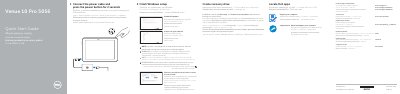
Dell Venue 10 Pro 5056 Computer Quick Start Guide
The Dell Venue 10 Pro 5056 quick start guide explains how to connect power, turn on the computer, complete Windows setup, enable Dell updates, connect to a network, sign in with a Microsoft account or create a local account, locate Dell apps, and create a recovery drive. It also lists support resources such as SupportAssist, product support and manuals, contact information, and regulatory and safety links.
The guide includes a labeled features section for the computer, covering items such as the power button, power and battery-charge status light, microphones, front and rear cameras, headset port, volume-control buttons, micro-HDMI port, USB 3.0 port, USB-C power-adapter port, keyboard-docking slots, service tag label, docking pins, NFC-sensor area, Noble security-cable slot, micro-SIM card slot, microSD-card slot, Windows button, and camera-status light. Optional procedures cover connecting to a wireless network and inserting micro-SIM and microSD cards.
Dell Venue 10 Pro 5056 specifications
| USB port | USB 3.0 |
|---|---|
| Video port | Micro-HDMI |
| Power-adapter port | USB-C |
| SIM card slot | Micro-SIM |
| NFC sensor | Optional |
| Security cable slot | Noble |
| Battery-charge indicator | Power and battery-charge status light |
| Keyboard-docking slots | 2 |
All Dell Venue 10 Pro 5056 documents by type
The shortest path to a working setup, usually only a few pages.
- Dell Venue 10 Pro 5056 Computer Quick Start Guide 2 p
- Dell Venue 10 Pro 5056 Quick Start Guide 2 p
- Dell Venue 10 Pro 5056 Tablet Quick Start Guide 2 p
- Dell Venue 10 Pro 5056 Quick Start Guide 2 p
- Dell Venue 10 Pro 5056 Quick Start Guide 2 p
- Dell Venue 10 Pro 5056 Tablet Quick Start Guide 2 p
- Dell Venue 10 Pro 5056 Tablet Quick Start Guide 2 p
- Dell Venue 10 Pro 5056 Computer Quick Start Guide 2 p
Questions answered in these manuals
How do I turn on the computer?
Connect the power cable and press the power button for 2 seconds.
How do I connect to a wireless network?
In the system tray, tap the wireless icon, select your network, and tap Connect.
How do I connect to a secured wireless network?
Enter the wireless network password when prompted.
How do I sign in to my Microsoft account?
Sign in to your Microsoft account or create a local account.
How long should I press the power button to start the tablet?
Press the power button for 2 seconds.
Where can I find Dell product support and manuals?
Go to Dell.com/support, Dell.com/support/manuals, or Dell.com/support/windows.