
Dell Latitude 12 7000 Series 7275 2-in-1 Quick Start Guide

Dell Latitude 12 7000 Series 2-in-1 Quick Start Guide
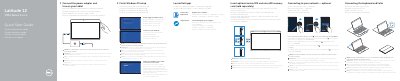

Dell Latitude 12 7000 Series 7275 2-in-1 Quick Start Guide - cover page
Brand
DELL
Category
Tablets
Document type
Quick Start Guide
Language
English
Pages
2
File format
PDF
File size
1.1 MB
Published
25 November, 2023
Updated
25 November, 2023
MD5 checksum
2503206FC9773F1A747EAC63E30D5FA7

About this manual

This multilingual quick start guide covers initial setup of the Dell Latitude 12 7000 Series 2-in-1, including connecting power, completing Windows 10 setup, inserting optional micro-SIM and microSD cards, connecting to a network, and attaching or removing the keyboard and Folio.

It also identifies tablet features such as cameras, connectors, card readers, buttons, and dock pins, and lists product support, manual, contact, regulatory, and model information.

What's inside

  • Connect the power adapter and turn on your tablet
  • Finish Windows 10 setup
  • Insert optional micro-SIM and microSD memory card
  • Connecting to your network
  • Connecting the keyboard and Folio
  • Disconnecting the keyboard and Folio
  • Features
  • Product support and manuals
  • Regulatory and safety

Specifications

Computer modelLatitude 12 7275
Regulatory modelT02H
Regulatory typeT02H001

Frequently asked questions

What should be inserted before powering on the tablet?

It is recommended to insert the micro-SIM card and the microSD card before powering on the tablet.

How long does the keyboard backlight stay on when the docking pins align correctly?

The keyboard backlight turns on for 2 seconds when the tablet-docking pins and keyboard-docking pins are aligned correctly.

Which models include the micro-SIM reader?

The micro-SIM reader is for LTE/HSPA+ models only.

Download PDF (1.1 MB)

More DELL Manuals


View all DELL manuals →