
Key facts
Start here
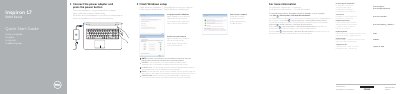
Dell Inspiron 17 5000 Series Computer Quick Start Guide: Windows Setup and Password
This Dell Inspiron 17 5000 Series Quick Start Guide covers initial Windows setup steps: connecting the power adapter, pressing the power button, connecting to a network, and setting a Windows password. It also points to Dell support pages for product manuals and regulatory information.
The guide identifies ports and components including USB, HDMI, media-card reader, optical drive, battery, and power button, and lists shortcut keys for volume, media playback, display, brightness, wireless, sleep, and keyboard backlight. It gives the computer model as Inspiron 17-5758 and presents the labels in English, Danish, Finnish, Norwegian, and Swedish.
Dell Inspiron 17 5000 Series (Inspiron 17-5758) specifications
| USB 3.0 port | 1 |
|---|---|
| USB 2.0 ports | 2 |
| HDMI port | 1 |
Source: Dell Inspiron 17 5000 Series Computer Quick Start Guide: Windows Setup and Password
All Dell Inspiron 17 5000 Series (Inspiron 17-5758) documents by type
The shortest path to a working setup, usually only a few pages.
Disassembly, diagnostics and part numbers, for repair.
Questions answered in these manuals
What should I do first to finish Windows setup?
Connect the power adapter and press the power button.
From: Dell Inspiron 17 5000 Series Computer Quick Start Guide: Windows Setup and Password
How do I set up a password for Windows?
The guide lists Set up password for Windows as one of the setup steps.
From: Dell Inspiron 17 5000 Series Computer Quick Start Guide: Windows Setup and Password
What should I do before working inside the computer?
Save and close all open files, shut down the computer, disconnect power and cables, disconnect peripherals, and remove any media and optical discs.
From: Dell Inspiron 17 5000 Series (Inspiron 17-5758) Laptop Service Manual
How do I update the BIOS?
Turn on the computer, go to dell.com/support, enter the service tag, open Drivers & Downloads, select BIOS, download the latest BIOS file, and run the downloaded update file.
From: Dell Inspiron 17 5000 Series (Inspiron 17-5758) Laptop Service Manual