
Key facts
Start here
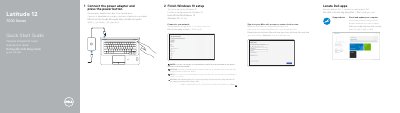
Dell Latitude 12 7000 Series Notebook Quick Start Guide
This guide provides step-by-step instructions for setting up the Dell Latitude 12 7000 Series notebook, including connecting the power adapter, pressing the power button, completing Windows 10 setup, connecting to a network, and signing in to a Microsoft account. It also highlights the Dell SupportAssist app for checking and updating the computer.
The document includes a detailed features diagram labeling 25 components such as network connector, HDMI, Mini DisplayPort, microphones, camera, USB 3.0 ports, power connector, SIM port, memory card reader, headset connector, optional smart-card and fingerprint readers, status lights, speakers, touchpad, security-cable slot, dock connector, and service-tag label. Regulatory information lists the regulatory model P26S, regulatory type P26S001, and computer model Latitude 12-7270/E7270.
Dell Latitude 12 7000 Series (7270 specifications
| Regulatory model | P26S |
|---|---|
| Regulatory type | P26S001 |
| Computer model | Latitude 12-7270/E7270 |
Source: Dell Latitude 12 7000 Series Notebook Quick Start Guide
All Dell Latitude 12 7000 Series (7270 documents by type
The shortest path to a working setup, usually only a few pages.
Questions answered in these manuals
How do I start the Dell Latitude 12 7000 Series notebook?
Connect the power adapter and press the power button.
From: Dell Latitude 12 7000 Series Notebook Quick Start Guide
Where can I find Dell apps on the notebook?
Locate Dell apps including SupportAssist to check and update your computer.
From: Dell Latitude 12 7000 Series Notebook Quick Start Guide
Where can I find product support and manuals?
Product support and manuals are available at Dell.com/support and Dell.com/support/manuals.
From: Dell Latitude 12 7000 Series (7270/E7270) Notebook Quick Start Guide
How do I contact Dell?
Contact information is available at Dell.com/contactdell.
From: Dell Latitude 12 7000 Series (7270/E7270) Notebook Quick Start Guide
How do I finish Ubuntu setup?
Follow the instructions shown on the screen to finish setup.
From: Dell Latitude 12 7000 Series (7270/E7270) Quick Start Guide
Where can I find product support and manuals?
Dell lists product support and manuals at Dell.com/support and Dell.com/support/manuals.
From: Dell Latitude 12 7000 Series (7270/E7270) Quick Start Guide