
Dell Latitude 12 7000 Series 2-in-1 Quick Start Guide
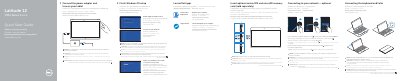
This guide covers initial setup for the Dell Latitude 12 7000 Series 2-in-1, including connecting the power adapter, completing Windows 10 setup, connecting to a network, and inserting optional micro-SIM and microSD cards.
It also describes connecting and disconnecting the keyboard and Dell Premier Magnetic Folio, and lists the tablet features and ports, including cameras, USB Type-C connectors, card readers, and dock pins.
| Computer model | Latitude 12 7275 |
|---|---|
| Regulatory model | T02H |
| Regulatory type | T02H001 |
| Operating system setup | Windows 10 |
| USB connector type | USB Type-C |
| micro-SIM reader availability | LTE/HSPA+ models only |
| Keyboard backlight indicator | Turns on for 2 seconds when docking pins are aligned |
It is recommended to insert the micro-SIM card and the microSD card before powering on the tablet.
In the system tray, tap the wireless icon, select your network, and tap Connect. For a secured network, enter the password when prompted.
The keyboard backlight turns on for 2 seconds when the tablet-docking pins and keyboard-docking pins are aligned correctly.
The micro-SIM and microSD memory cards are optional and sold separately.