
The Dell Latitude 12 7000 Series Quick Start Guide describes how to connect the power adapter, finish Windows setup, register the device, create a Dell backup and recovery, learn how to use Windows, and enable security and updates.
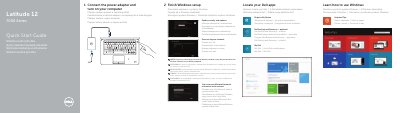
This quick start guide for the Dell Latitude 12 7000 Series covers the first steps for setting up the computer, including connecting the power adapter, turning on the computer, completing Windows setup, and connecting to a network. It also lists Dell applications such as Dell Backup and Recovery, My Dell, and Help and Tips.
The guide identifies the computer model as Latitude 7250/E7250 with regulatory model P22S and regulatory type P22S002. A features section lists the indicators, microphones, camera, security-cable slot, power button, Mini-DisplayPort, USB 3.0, headset, memory card, NFC, fingerprint, touchpad, smart card, network, HDMI, PowerShare, power, and dock connectors, along with the battery, speakers, and service-tag label.
| Computer model | Latitude 7250/E7250 |
|---|---|
| Regulatory model | P22S |
| Regulatory type | P22S002 |
| USB connector version | USB 3.0 |
| Video connectors | Mini-DisplayPort and HDMI |
| Optional readers | NFC reader, fingerprint reader, smart card reader |
| Document date | 2014-09 |
Connect the power adapter and turn on your computer.
Finish Windows setup, which includes locating Dell apps, registering the device, enabling security and updates, and connecting to your network.
Enter the password for wireless network access when prompted.
The listed connectors include Mini-DisplayPort, USB 3.0, headset, network, HDMI, USB 3.0 with PowerShare, power, and an optional dock connector.