
Key facts
Start here
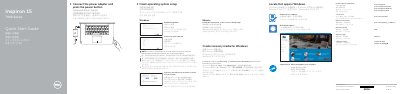
Inspiron 15 7000 Series Quick Start Guide
This guide helps you connect the power adapter, complete OS setup, connect to a network, and create an account. It also covers features like shortcut keys, ports, and display modes. For more details, visit Dell.com/support.
Read onlineDell Inspiron 15-7568 specifications
| Regulatory model | P55F |
|---|---|
| Regulatory type | P55F002 |
| Computer model | Inspiron 15-7568 |
Source: Dell Inspiron 15 7000 Series (Inspiron 15-7568) Quick Start Guide
All Dell Inspiron 15-7568 documents by type
The shortest path to a working setup, usually only a few pages.
Questions answered in these manuals
How do I connect to a secured wireless network?
Enter the password for the wireless network access when prompted.
How do I create recovery media for Windows?
In Windows search, type Recovery, click Create a recovery media, and follow the instructions on the screen.
How do I create recovery media for Windows?
In Windows search, type Recovery, click Create a recovery media, and follow the instructions on the screen.
From: Dell Inspiron 15 7000 Series (Inspiron 15-7568) Quick Start Guide
Where can I find product support and manuals?
Product support and manuals are available at Dell.com/support and Dell.com/support/manuals.
From: Dell Inspiron 15 7000 Series (Inspiron 15-7568) Quick Start Guide
How do I create recovery media for Windows?
In Windows search, type Recovery, click Create a recovery media, and follow the instructions on the screen.
From: Dell Inspiron 15 7000 Series (Inspiron 15-7568) Quick Start Guide
Where can I find product support and manuals?
Product support and manuals are available through Dell.com/support and Dell.com/support/manuals.
From: Dell Inspiron 15 7000 Series (Inspiron 15-7568) Quick Start Guide