
Dell Latitude 12 7000 Series 2-in-1 Quick Start Guide
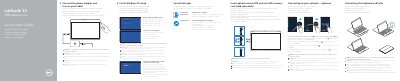
Set up the Dell Latitude 12 7000 Series 2-in-1 tablet, computer model Latitude 12 7275, by connecting the power adapter, turning it on, and completing Windows 10 setup. The guide also covers connecting to a wireless network, signing in with a Microsoft account or creating a local account, and locating Dell apps such as Dell Product Registration and SupportAssist.
It explains how to insert the optional micro-SIM and microSD card, connect and disconnect the keyboard and Folio, and identify the tablet's features and ports. Support, contact, and regulatory links are included.
| Computer model | Latitude 12 7275 |
|---|---|
| Micro-SIM reader | LTE/HSPA+ models only |
| Memory card reader | MicroSD |
| Charging connector | USB Type-C |
| Security slot | Noble security-cable slot |
It is recommended to insert the micro-SIM card and the microSD card before powering on the tablet.
In the system tray, tap the wireless icon, select your network, and tap Connect.
The keyboard backlight turns on for 2 seconds when the tablet-docking pins and keyboard-docking pins are aligned correctly.
The micro-SIM reader is included on LTE/HSPA+ models only.