
The Latitude 12 7000 Series 2-in-1 Quick Start Guide provides information on how to set up and use the Latitude 12 7000 Series 2-in-1 tablet.
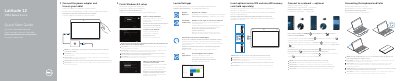
This two-page quick start guide covers the first steps for the Dell Latitude 12 7000 Series 2-in-1 tablet, computer model Latitude 12 7275. It shows how to connect the power adapter and turn on the tablet, insert the optional micro-SIM and microSD memory card, finish the Windows 8.1 setup (enable security and updates, connect to your network, sign in with a Microsoft account or create a local account), and connect the keyboard and the Dell Premier Magnetic Folio.
The guide also lists the Dell apps to locate (Register My Device, Dell Backup and Recovery, Dell Data Protection | Protected Workspace, Dell SupportAssist), explains how to connect to a network from the charms sidebar, and how to disconnect the keyboard and Folio. A numbered features list identifies the tablet's parts, from microphones and front/rear cameras to the USB Type-C connectors, micro-SIM and microSD readers, volume button and dock pins. Support, regulatory and safety links are given at the end.
| Computer model | Latitude 12 7275 |
|---|---|
| Regulatory model | T02H |
| Regulatory type | T02H001 |
| Micro-SIM reader | LTE/HSPA+ models only |
| Memory card reader | microSD |
| Ports | Headset connector; two USB Type-C connectors, one also a charging connector |
| Security | Noble security-cable slot |
Dell recommends inserting the micro-SIM card and the microSD card before powering on the tablet.
The keyboard backlight turns on for 2 seconds when the tablet-docking pins and keyboard-docking pins are aligned correctly.
In the charms sidebar, tap Settings, tap the wireless icon, select your network, and tap Connect.
Enter the password for the wireless network access when prompted.