
Dell Latitude 12 7000 Series 2-in-1 Quick Start Guide

Dell Latitude 12 7000 Series 2-in-1 Quick Start Guide
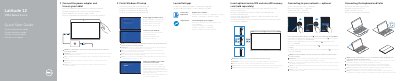

Dell Latitude 12 7000 Series 2-in-1 Quick Start Guide - cover page
Brand
DELL
Category
Laptops
Document type
Quick Start Guide
Language
English
Pages
2
File format
PDF
File size
1.1 MB
Published
20 November, 2023
Updated
20 November, 2023
MD5 checksum
606A958A3BBBF37CCA8AB50606EB97FD

About this manual

This document serves as a multi-language Quick Start Guide for the Dell Latitude 12 7000 Series 2-in-1 tablet, specifically the model Latitude 12 7275. It provides step-by-step instructions in English, French, Italian, Portuguese, and Spanish for initial setup, including connecting the power adapter, configuring Windows 10, and registering the device. The guide also details how to insert optional memory cards and connect the optional keyboard and Folio.

What's inside

  • Connect the power adapter
  • Finish Windows 10 setup
  • Enable Support and Protection
  • Connect to your network
  • Sign in to your Microsoft account
  • Locate Dell apps
  • Dell Product Registration
  • Insert optional memory card
  • Connecting the keyboard and Folio
  • Features
Download PDF (1.1 MB)

More DELL Manuals


View all DELL manuals →