
Key facts
Start here
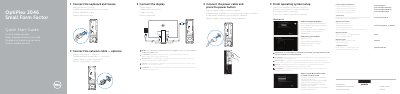
Dell OptiPlex 3046 Small Form Factor Quick Start Guide
The Dell OptiPlex 3046 Small Form Factor quick start guide covers initial computer setup: connecting the keyboard and mouse, display, optional network cable, and power cable, then finishing operating system setup. It also describes connecting to a network, signing in to a Microsoft account or creating a local account, and setting a Windows password.
The guide lists the computer's connectors and features, including USB 2.0 and USB 3.0 connectors, HDMI, DisplayPort, optional VGA and memory card reader, network connector, expansion-card slots, and security-cable slot. It also points to Dell support, manuals, contact, and regulatory compliance pages and notes Dell apps in Windows 8.1.
Dell OptiPlex 3046 Small Form Factor specifications
| Computer model | OptiPlex 3046 SFF |
|---|---|
| Regulatory model | D11S |
| Regulatory type | D11S001 |
| Memory card reader | Optional |
| VGA connector | Optional |
Source: Dell OptiPlex 3046 Small Form Factor (SFF) Quick Start Guide
All Dell OptiPlex 3046 Small Form Factor documents by type
The shortest path to a working setup, usually only a few pages.
- Dell OptiPlex 3046 Small Form Factor Quick Start Guide 2 p
- Dell OptiPlex 3046 Small Form Factor Computer Quick Start Guide 2 p
- Dell OptiPlex 3046 Small Form Factor (SFF) Quick Start Guide 2 p
- Dell OptiPlex 3046 Small Form Factor Quick Start Guide 2 p
- Dell OptiPlex 3046 Small Form Factor (SFF) Quick Start Guide 2 p
- Dell OptiPlex 3046 Small Form Factor Quick Start Guide 2 p
- Dell OptiPlex 3046 Small Form Factor Quick Start Guide 2 p
- Dell OptiPlex 3046 Small Form Factor Quick Start Guide 2 p
- Dell OptiPlex 3046 Small Form Factor Quick Start Guide 2 p
- Dell OptiPlex 3046 Small Form Factor Quick Start Guide 2 p
Questions answered in these manuals
How do I connect the display if the computer has a discrete graphics card?
Connect the display to the discrete graphics card.
From: Dell OptiPlex 3046 Small Form Factor Quick Start Guide
What should I enter when connecting to a secured wireless network?
Enter the password for the wireless network access when prompted.
From: Dell OptiPlex 3046 Small Form Factor Quick Start Guide
What should you do when connecting to a secured wireless network?
Enter the password for the wireless network access when prompted.
From: Dell OptiPlex 3046 Small Form Factor Computer Quick Start Guide
What is required to upgrade from Windows 7 32-bit to Windows 10?
A manual installation of the system drivers is required.
From: Dell OptiPlex 3046 Small Form Factor Computer Quick Start Guide
Where should the display be connected if the computer has a discrete graphics card?
Connect the display to the discrete graphics card.
From: Dell OptiPlex 3046 Small Form Factor (SFF) Quick Start Guide
What should be entered when connecting to a secured wireless network?
Enter the password for the wireless network access when prompted.
From: Dell OptiPlex 3046 Small Form Factor (SFF) Quick Start Guide