
Key facts
Start here
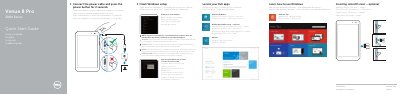
Dell Venue 8 Pro 3000 Series (3845) Quick Start Guide
This quick start guide covers initial setup of the Dell Venue 8 Pro 3000 Series tablet, including connecting power, completing Windows setup, connecting to a network, signing in to a Microsoft account, locating Dell apps, and registering the device.
It also identifies the tablet's features, including the ambient-light sensor, cameras, MicroSD-card slot, Micro-USB port, volume buttons, Windows button, and headset port, and lists product support, manuals, regulatory, and safety information.
Dell Venue 8 Pro 3000 Series (3845) specifications
| Tablet model | Venue 8 Pro 3845 |
|---|---|
| Regulatory model | T01D |
| Power button press | 2 seconds |
| MicroSD card slot | Included |
Source: Dell Venue 8 Pro 3000 Series (3845) Quick Start Guide
All Dell Venue 8 Pro 3000 Series (3845) documents by type
The shortest path to a working setup, usually only a few pages.
Questions answered in these manuals
How long should I press the power button?
Press the power button for 2 seconds.
What should I do when connecting to a secured wireless network?
Enter the password for the wireless network access when prompted.
How long do I press the power button to turn on the tablet?
Press the power button for 2 seconds.
From: Dell Venue 8 Pro 3000 Series (3845) Tablet Quick Start Guide
How do I connect to a secured wireless network?
Enter the password for the wireless network access when prompted.
From: Dell Venue 8 Pro 3000 Series (3845) Tablet Quick Start Guide