
Dell Latitude 12 7000 Series Computer Quick Start Guide

The Latitude 12 7000 Series Quick Start Guide provides instructions on how to connect the power adapter, locate Dell applications, finish Windows 10 setup, and connect to a network.
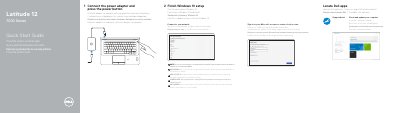

Dell Latitude 12 7000 Series Computer Quick Start Guide - cover page
Brand
DELL
Category
Laptops
Document type
Quick Start Guide
Language
English
Pages
2
File format
PDF
File size
302 KB
Published
25 November, 2023
Updated
25 November, 2023
Model
E7270)
MD5 checksum
B4021577D14CFABC2FFF8609CEA01F38

About this manual

This Dell quick start guide covers initial setup for the Latitude 12 7000 Series computer, including connecting the power adapter, pressing the power button, locating Dell apps, and completing Windows 10 setup.

It also explains how to connect to a network, sign in to a Microsoft account or create a local account, and lists the computer's ports, connectors, buttons, status lights, and service-tag label.

What's inside

  • Connect the power adapter and press the power button
  • Locate Dell apps
  • SupportAssist
  • Finish Windows 10 setup
  • Connect to your network
  • Sign in to your Microsoft account or create a local account
  • Features
  • Product support and manuals
  • Contact Dell
  • Regulatory and safety

Specifications

Regulatory typeP26S001
USB 3.0 connectors2
USB 3.0 connectorwith PowerShare

Frequently asked questions

How do I start the computer?

Connect the power adapter and press the power button.

Where can I find product support and manuals?

Visit Dell.com/support, Dell.com/support/manuals, or Dell.com/support/windows.

Download PDF (302 KB)

More DELL Manuals


View all DELL manuals →