
Key facts
Start here
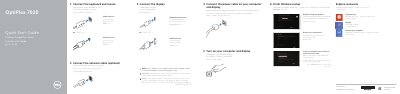
Dell OptiPlex 7020 Quick Start Guide
This document serves as a Quick Start Guide for the Dell OptiPlex 7020 series, covering both the MT (Tower) and SFF (Small Form Factor) models. It provides multilingual instructions for connecting essential peripherals such as keyboards, mice, network cables, and displays to the computer and monitor. The guide also outlines the initial steps for powering on the system and completing the Windows setup process.
Read onlineDell OptiPlex 7020 MT specifications
| Regulatory Model (MT) | D12M |
|---|---|
| Regulatory Model (SFF) | D13M |
| Regulatory Type (MT) | D12M001 |
| Regulatory Type (SFF) | D13M001 |
All Dell OptiPlex 7020 MT documents by type
The shortest path to a working setup, usually only a few pages.
Questions answered in these manuals
Where can I find product support and manuals?
You can find product support and manuals at dell.com/support.
How do I contact Dell for support?
You can contact Dell by visiting dell.com/contactdell.
Is connecting the network cable optional?
Yes, connecting the network cable is optional.
From: Dell OptiPlex 7020 MT and SFF Computer Quick Start Guide
Where do I connect the display with a discrete graphics card?
Connect the display to the discrete graphics card.
From: Dell OptiPlex 7020 MT and SFF Computer Quick Start Guide