
Dell Latitude 12 7000 Series Quick Start Guide
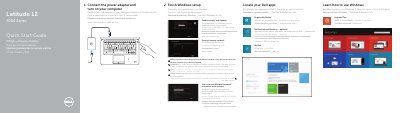
This guide helps you set up your Dell Latitude 7250/E7250 laptop. Connect the power adapter, complete Windows setup, and register your device. Learn how to connect to your network and use built-in features like camera, microphone, and touchpad.
The laptop includes ports for USB 3.0, HDMI, mini-DisplayPort, and optional NFC or fingerprint reader. It also has battery and hard drive status lights, and supports wireless connectivity with security settings.
| Mini-DisplayPort connector | Port |
|---|---|
| USB 3.0 connector | Port |
| Contactless smart-card reader / NFC reader | Optional |
| HDMI connector | Port |
| USB 3.0 connector with PowerShare | Port |
Connect the power adapter and turn on your computer.
Register your device at Dell’s website to access support and updates.
Ports include USB 3.0, HDMI, mini-DisplayPort, and optional NFC or fingerprint reader.
Enter the password for the wireless network access when prompted.