
Key facts
- Brand
- DELL
- Model
- K12A
- Category
- Other Computer Accessories
- Documents
- 6
- Languages
- EN · ZH
- Last added
- 2023-11-29
Start here
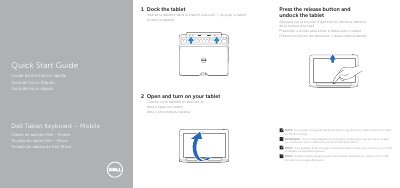
Dell Tablet Keyboard - Mobile K12A Quick Start Guide
This Quick Start Guide explains how to set up the Dell Tablet Keyboard - Mobile, a keyboard dock for a Dell tablet. It shows how to dock the tablet, open and turn it on, and undock it using the release button.
The guide identifies the keyboard's main features: docking connector, touch pad, docking pins, micro USB power connector, Caps Lock status light and power status light. It notes that the keyboard dock can also be charged through the micro USB connector on the dock hinge, and lists Dell support, manuals and regulatory compliance websites. Regulatory model K12A (K12A001), printed in China, © 2013 Dell Inc.
Dell K12A specifications
| Input voltage | 100 V AC - 240 V AC |
|---|---|
| Input current (max) | 1.00 A - 1.30 A |
| Input frequency | 50 Hz - 60 Hz |
| Output current | 1.2 A |
| Output voltage | 19.5 V DC |
Source: Dell Tablet Keyboard - Mobile K12A Quick Start Guide
All Dell K12A documents by type
The shortest path to a working setup, usually only a few pages.
Day-to-day operation, settings and troubleshooting. Start here if the product is already set up.
Questions answered in these manuals
How do I undock the tablet from the keyboard?
Press the release button and undock the tablet.
Can the keyboard dock be charged another way?
Yes, it can also be charged using the micro USB connector located on the dock hinge.
How do I dock the tablet?
Press the release button and undock the tablet to connect it to the dock.
How do I charge the keyboard dock?
Use the micro USB connector located on the dock hinge.
How can the keyboard dock be charged?
The keyboard dock can also be charged using the micro USB connector located on the dock hinge.
What input voltage range is listed?
The listed input voltage range is 100 V AC to 240 V AC.