
Key facts
Start here
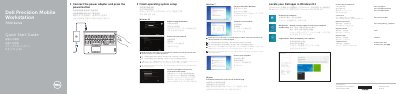
Dell Precision 7000 Series (7510) Mobile Workstation Quick Start Guide
This Dell Precision 7000 Series (7510) Mobile Workstation Quick Start Guide explains initial setup steps: connecting the power adapter, pressing the power button, finishing operating system setup, enabling security and updates, connecting to a network, and signing in to a Microsoft account or creating a local account. It also lists Dell app locations for Windows 8.1 and support contact information.
The guide includes a numbered features list for the mobile workstation, covering connectors, indicators, optional components, and the service-tag label. It points to the Owner’s Manual at dell.com/support/manuals for more information.
Dell Precision 7000 Series 7510 specifications
| Regulatory type | P53F001 |
|---|---|
| Camera | Optional |
| Fingerprint reader | Optional |
| USB-C connector | Optional |
Source: Dell Precision 7000 Series (7510) Mobile Workstation Quick Start Guide
All Dell Precision 7000 Series 7510 documents by type
The shortest path to a working setup, usually only a few pages.
- Dell Precision 7000 Series (7510) Mobile Workstation Quick Start Guide 2 p
- Dell Precision 7000 Series (7510) Mobile Workstation Quick Start Guide 2 p
- Dell Precision 7000 Series 7510 Mobile Workstation Quick Start Guide 2 p
- Dell Precision 7000 Series 7510 Mobile Workstation Quick Start Guide 2 p
- Dell Precision 7000 Series (7510) Mobile Workstation Quick Start Guide 2 p
Questions answered in these manuals
What is the first step in setting up the computer?
Connect the power adapter and press the power button.
From: Dell Precision 7000 Series (7510) Mobile Workstation Quick Start Guide
What should I do when connecting to a secured wireless network?
Enter the password for the wireless network access when prompted.
From: Dell Precision 7000 Series (7510) Mobile Workstation Quick Start Guide
How do I start the Dell Precision 7000 Series (7510)?
Connect the power adapter and press the power button.
From: Dell Precision 7000 Series (7510) Mobile Workstation Quick Start Guide
How do I finish operating system setup?
Follow the instructions on the screen to finish setup.
From: Dell Precision 7000 Series (7510) Mobile Workstation Quick Start Guide
How do I turn on the computer?
Connect the power adapter and press the power button.
From: Dell Precision 7000 Series 7510 Mobile Workstation Quick Start Guide
What should I do when connecting to a secured wireless network?
Enter the password for the wireless network access when prompted.
From: Dell Precision 7000 Series 7510 Mobile Workstation Quick Start Guide