
Latitude 12 7000 Series 2-in-1 Quick Start Guide.
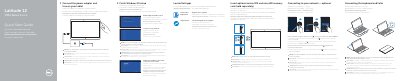
This quick start guide for the Dell Latitude 12 7000 Series 7275 2-in-1 tablet explains initial setup: connecting the power adapter, turning on the tablet, finishing Windows 10 setup, and signing in with a Microsoft account or a local account. It also covers inserting optional micro-SIM and microSD cards, connecting to a wireless network, and using the keyboard and Dell Premier Magnetic Folio.
The guide lists the tablet's features, including cameras, microphones, USB Type-C connectors, micro-SIM and microSD readers, buttons, dock pins, and the Noble security-cable slot. Support and regulatory information point to Dell.com/support, Dell.com/support/manuals, Dell.com/contactdell, and Dell.com/regulatory_compliance.
| Computer model | Latitude 12 7275 |
|---|---|
| Regulatory model | T02H |
| Regulatory type | T02H001 |
| Micro-SIM reader | LTE/HSPA+ models only |
| USB Type-C connector | One connector also serves as the charging connector |
| Security slot | Noble security-cable slot |
| Dock pins | Two sets of dock pins |
| Keyboard backlight | Turns on for 2 seconds when the tablet and keyboard docking pins are aligned correctly |
Dell recommends inserting the micro-SIM card and the microSD card before powering on the tablet.
The keyboard backlight turns on for 2 seconds when the tablet-docking pins and keyboard-docking pins are aligned correctly.
Enter the password for the wireless network access when prompted.
See Dell.com/support and Dell.com/support/manuals.