
Latitude 12 7000 Series 2-in-1 Quick Start Guide

Latitude 12 7000 Series 2-in-1 Quick Start Guide
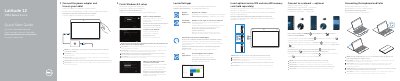

Latitude 12 7000 Series 2-in-1 Quick Start Guide - cover page
Brand
DELL
Category
Tablets
Document type
Quick Start Guide
Language
English
Pages
2
File format
PDF
File size
636 KB
Published
25 November, 2023
Updated
25 November, 2023
MD5 checksum
2513310C7E01F6564A9837E49C018416

About this manual

This quick start guide provides step-by-step instructions for setting up the Dell Latitude 12 7275 2-in-1 tablet, including connecting the power adapter, completing Windows 8.1 setup, inserting optional micro-SIM and microSD cards, and attaching the keyboard and Folio.

The guide also illustrates the tablet's features such as cameras, microphones, USB Type-C connectors, and security-cable slot, and directs users to Dell support resources and regulatory information.

What's inside

  • Connect the power adapter and turn on your tablet
  • Finish Windows 8.1 setup
  • Insert optional micro-SIM and microSD memory card
  • Connecting the keyboard and Folio
  • Locate Dell apps
  • Connect to a network
  • Disconnecting the keyboard and Folio
  • Dell Premier Magnetic Folio
  • Features
  • Product support and manuals

Specifications

Regulatory modelT02H
Regulatory typeT02H001

Frequently asked questions

How do I connect the power adapter to the tablet?

Connect the power adapter and turn on your tablet.

Where do I insert the micro-SIM and microSD cards?

Insert the optional micro-SIM and microSD memory card before powering on the tablet.

How do I attach the keyboard and Folio to the tablet?

Align the tablet-docking pins and keyboard-docking pins; the keyboard backlight turns on for 2 seconds when aligned correctly.

Download PDF (636 KB)

More DELL Manuals


View all DELL manuals →