
Dell Latitude 12 7000 Series 2-in-1 Quick Start Guide

Dell Latitude 12 7000 Series 2-in-1 Quick Start Guide
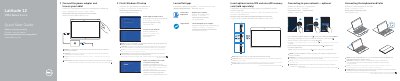

Dell Latitude 12 7000 Series 2-in-1 Quick Start Guide - cover page
Brand
DELL
Category
Laptops
Document type
Quick Start Guide
Language
English
Pages
2
File format
PDF
File size
1.2 MB
Published
22 November, 2023
Updated
22 November, 2023
MD5 checksum
09F309938995E9B802225A4FD99F2039

About this manual

This document serves as a Quick Start Guide for the Dell Latitude 12 7275 2-in-1 tablet. It provides multilingual instructions for initial setup steps, such as connecting the power adapter, inserting optional micro-SIM and microSD cards, and completing the Windows 10 setup process. The guide also details how to connect and disconnect the optional keyboard and Folio.

What's inside

  • Connect the power adapter
  • Finish Windows 10 setup
  • Connect to your network
  • Sign in to your Microsoft account
  • Product Registration
  • SupportAssist
  • Insert optional micro-SIM and microSD memory card
  • Connecting the keyboard and Folio
  • Disconnecting the keyboard and Folio
  • Features

Specifications

Regulatory modelT02H
Regulatory typeT02H001
Operating SystemWindows 10
ConnectorsUSB Type-C

Frequently asked questions

When should I insert the SIM and microSD cards?

It is recommended to insert the micro-SIM card and the microSD card before powering on the tablet.

How long does the keyboard backlight stay on when docking?

The keyboard backlight turns on for 2 seconds when the tablet-docking pins and keyboard-docking pins are aligned correctly.

Download PDF (1.2 MB)

More DELL Manuals


View all DELL manuals →