
Key facts
- Brand
- DELL
- Model
- W-IAP103
- Documents
- 4
- Languages
- EN · PT · ZH
- Last added
- 2023-11-26
Start here
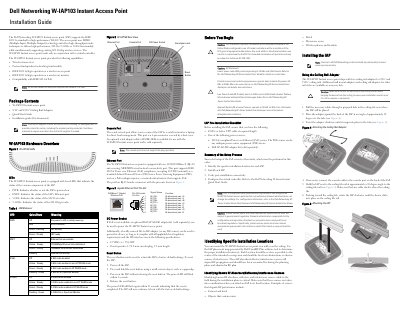
Dell Networking W-IAP103 Instant Access Point Installation Guide
This installation guide covers the Dell Networking W-IAP103 Instant access point, an IEEE 802.11n access point using MIMO technology for 2.4 GHz or 5 GHz operation while supporting existing 802.11a/b/g services. It works only in conjunction with a virtual controller and includes hardware overview, LED descriptions, port details, reset instructions, pre-installation requirements, and mounting steps.
The guide also provides a ceiling rail mounting procedure, an LED behavior table, Ethernet pin-out information, DC power specifications, and regulatory compliance cautions. Configuration details are referenced to the Dell Networking W-Series Instant Quick Start Guide and User Guide.
Dell W-IAP103 specifications
| Wireless standard | IEEE 802.11n with MIMO technology |
|---|---|
| Frequency bands | 2.4 GHz or 5 GHz |
| Ethernet port | 10/100/1000Base-T (RJ-45), auto-sensing, MDI/MDX |
| Power over Ethernet | IEEE 802.3af compliant; accepts 48 VDC (nominal) |
| DC power input | 12 VDC (+/-5%)/18W |
| DC plug | Center-positive 1.7/4.0 mm circular plug, 9.5 mm length |
| LEDs | Four LEDs: PWR, ENET, 5 GHz, and 2.4 GHz |
| Ceiling rail adapters | 9/16 inch and 15/16 inch adapters included |
| Software requirement | Dell Instant 4.1 or later |
| Console port | 4-pin connector covered by a dust cover |
Source: Dell Networking W-IAP103 Instant Access Point Installation Guide
All Dell W-IAP103 documents by type
Mounting, wiring and first power-up. Read it before the hardware goes in.
Questions answered in these manuals
What power sources can be used for the W-IAP103?
An 802.3af-compliant PoE source, the Dell AP AC-DC adapter kit (sold separately), or a locally sourced AC-to-DC adapter meeting the stated DC specifications.
From: Dell Networking W-IAP103 Instant Access Point Installation Guide
How do I reset the W-IAP103 to factory defaults?
Power off the IAP, press and hold the reset button, power on without releasing it until the power LED flashes, then release; the power LED flashes again within 15 seconds.
From: Dell Networking W-IAP103 Instant Access Point Installation Guide
How do I reset the W-IAP103 to factory settings?
Power off the IAP, press the Reset button with a small narrow object such as a paper clip, power it on while holding the button, and release it when the power LED blinks again after 15 seconds.
From: Dell Instant Networking W-IAP103 Wireless Access Point Installation Guide
How is the W-IAP103 powered?
It can be powered via PoE IEEE 802.3af (48 V DC nominal) or, when PoE is unavailable, with a Dell AC/DC adapter kit or any local DC source meeting the 12 V DC (+/- 5%)/18 W specification.
From: Dell Instant Networking W-IAP103 Wireless Access Point Installation Guide
What does the LED indicator mean for power status?
PWR LED: Red = error condition, Green flashing = booting, Green steady = ready.
What software version is required to run the W-IAP103 Instant Access Point?
The W-IAP103 Instant Access Point requires Dell Instant 4.1 or a higher version to operate.