
Dell Latitude 12 7000 Series Quick Start Guide
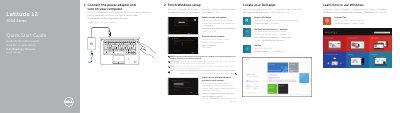
This two-page Dell quick start guide covers the initial setup of the Latitude 12 7000 Series computer, identified in the document as the Latitude 7250/E7250 (regulatory model P22S, regulatory type P22S002). It walks through connecting the power adapter and turning on the computer, finishing Windows setup, locating Dell apps, enabling security and updates, connecting to a network, and signing in to a Microsoft account or creating a local account.
The guide also includes a numbered list of the computer's features, from status lights, microphones, camera and touchpad to the Mini-DisplayPort, USB 3.0, HDMI, network, headset and power connectors, plus optional smart-card, NFC, fingerprint-reader and dock features. Support, contact and regulatory information is provided at the end. The instructions are printed in English, French, Portuguese, Turkish and Arabic.
| Computer model | Latitude 7250/E7250 |
|---|---|
| Regulatory model | P22S |
| Regulatory type | P22S002 |
| Display outputs | Mini-DisplayPort connector and HDMI connector |
| USB ports | USB 3.0 connectors, one with PowerShare |
| Card readers | Memory card reader, optional contactless smart-card/NFC reader, optional smart card reader |
| Optional features | Fingerprint reader and dock connector |
Use the "Connect to your network" step; if the wireless network is secured, enter the network password when prompted.
The guide lists dell.com/support for product support and dell.com/support/manuals for manuals.
Contact details are available at dell.com/contactdell.
The regulatory model is P22S and the regulatory type is P22S002.