
Key facts
Start here
Dell XPS 1810 Quick Start Guide
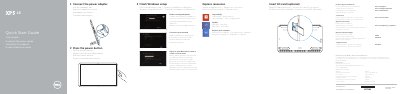
This guide helps you set up your Dell XPS 1810 laptop. Connect the power adapter, finish Windows setup, enable security and updates, sign in to your Microsoft account, connect to your network, and explore resources. It also covers registering your computer, inserting an SD card (optional), and accessing product support. The guide includes a diagram of the laptop’s ports and features, including microphones, camera, USB 3.0 ports, and charging connector.
Read onlineDell XPS 1810 specifications
| Input Voltage | 100 V AC–240 V AC |
|---|---|
| Input Frequency | 50 Hz–60 Hz |
| Input Current | 1,60 A |
| Output Voltage | 19.50 VDC |
| Output Current | 3.34 A |
| Country of Origin | Made in China |
Source: Dell XPS 1810 Quick Start Guide
All Dell XPS 1810 documents by type
The shortest path to a working setup, usually only a few pages.
Questions answered in these manuals
How do I connect the power adapter?
Connect the power adapter to the power-adapter port on the laptop.
How do I register my computer?
Register your computer through Dell’s support website.
How do I know if the computer is correctly seated on the powered stand?
The docking-status light turns on when the computer is correctly seated on the powered stand.
What should you connect before pressing the power button?
Connect the power adapter.